
FomoTraders earns a referral reward from Fomo, so weigh this accordingly. Trojan facts come from Trojan’s own documentation for its web terminal and its Telegram bot, checked on 18 October 2026. Where the two Trojan products differ, we say which one we mean.
The short version
Fomo is an app built for trading, not a bot you have to manage. You sign in with Apple or Google, fund with a card or USDC, and trade tokens on eight chains while watching what other traders buy, with their reasons attached. With a referral code its fee is 0.45%, and on Solana it pays the network costs for you.
Trojan is a toolkit for Solana power users. You paste a contract address into a Telegram bot or open its web terminal and manage wallets, gas, bribes and slippage yourself. It charges 1% a trade and pays part of that back as cashback. Its draw is automation: copy trading, limit and DCA orders and sniping.
Fomo vs Trojan at a glance
| Feature | Fomo | Trojan |
|---|---|---|
| What it is | Social trading app | Telegram trading bot (Trojan on Solana) and a web terminal (Trojan Terminal) |
| Where you use it | Native iPhone and Android apps, plus fomo.family on the web | Telegram, or the terminal in a browser; on phones, its docs suggest adding the web terminal to your home screen |
| Chains | Solana, Base, BNB Chain, Monad, Ethereum, Robinhood Chain, Arc and Elysium, from one cash balance | Solana, with bridging from other chains through deBridge |
| Trading fee | 0.50%, or 0.45% with a referral code; route-based with minimums on Solana; 0.05% on select major tokens | 1% per successful trade, with SOL cashback: 20% for every bot user, 10% to 45% on the terminal depending on rank |
| Network costs | Covered by Fomo on Solana | Paid by you: priority fees, plus a bribe when MEV protection is on |
| Sign-up | Apple or Google sign-in, no seed phrase | Terminal: a Solana wallet, a passkey or Google. Bot: Telegram |
| Funding | Debit card, Apple Pay, USDC or an exchange, depending on your country | MoonPay card purchases, SOL from any Solana wallet, or deBridge |
| Keys | Non-custodial; keys split into shares and exportable | Non-custodial; import and export private keys, up to 10 active wallets on the terminal |
| Copy trading | No. You follow traders and decide each trade | Yes, with copy-sell, auto-sell and filters |
| Spot orders | Market orders; Fomo documents no spot limit or stop orders | Market, limit (take profit and stop loss), DCA, instant and quick buys, sniping on the bot |
| Discovery | Live feed of real trades, written theses, profit leaderboard, follows | Trenches, Explorer, Wallet Tracker, wallet Analyzer, X Tracker and Alpha for Telegram and Discord calls |
| Perps | Hyperliquid and trade.xyz markets, isolated margin, not for US persons | Hyperliquid perps with cross or isolated margin and market or limit orders |
What the fees really cost
Both apps charge a percentage of every trade. Trojan’s headline 1% shrinks through cashback, paid back to you in SOL. Here’s one $1,000 Solana trade:
- Fomo with code theses$4.50
- Fomo, no code$5.00
- Trojan Terminal, top cashback (45%)$5.50
- Trojan bot (20% cashback)$8.00
- Trojan Terminal, starting rank (10% cashback)$9.00
- Trojan before cashback$10.00
Trading fees only. Trojan users also pay Solana priority fees and, with MEV protection on, a bribe; Fomo covers Solana network costs. Trojan's cashback arrives in SOL after the trade.
Three things the bars don’t show:
- Gas. On Trojan you choose a priority fee for every trade. The bot’s presets are 0.0015 SOL (“Fast”) and 0.0075 SOL (“Turbo”), and MEV protection adds a bribe. Buying a token also costs a refundable token-account deposit of about 0.002 SOL. On Fomo, Solana network costs are covered.
- Small trades. Fomo’s Solana fee has minimums: under 190 USDC, the lowest-fee route charges 0.10 USDC below 5 USDC, 2% from 5 to 47.50 USDC, and a flat 0.95 USDC up to 190. On a $20 trade that’s $0.40 on Fomo against $0.20 before cashback on Trojan. Above 190 USDC, Fomo’s percentage applies.
- Ranks take work. Trojan’s terminal cashback climbs with its Arena ranks, from 10% (Degen) through 15%, 20%, 25% and 35% (Titan), and its docs advertise up to 45%. You earn the higher tiers by trading volume, streaks and quests.
Your monthly cost, side by side
Set your own trade size and pace, then pick a Trojan plan.
Where Fomo is stronger
- Lower fees on normal-size trades. 0.45% with a referral code, against 0.55% to 1% on Trojan, with Solana network costs covered.
- A real app. Native iPhone and Android apps, sign-in with Apple or Google, and no seed phrase or bot commands to learn.
- Eight chains, one balance. Buy on Solana, Base, BNB Chain, Monad, Ethereum, Robinhood Chain, Arc or Elysium without bridging. Trojan is Solana-only.
- Card and Apple Pay deposits where your country allows them, straight into a USDC balance.
- Context, not just data. The feed shows real trades with the trader’s profit, and a thesis explains why they bought. Trojan shows you wallets; Fomo shows you people and their reasoning.
Where Trojan is stronger
- Automation. Copy trading, limit orders with take profit and stop loss, DCA orders that buy or sell in slices over time, auto-sell rules, and a sniper on the bot. Fomo has none of these for spot trades.
- Multi-wallet trading. The terminal runs up to 10 active wallets, and limit and DCA buys can fire from several wallets at once.
- Speed controls. You set priority fees, bribes and slippage per trade. Trojan’s own advice is to start slippage at 10% to 15% and adjust.
- Wallet surveillance. Wallet Tracker sends alerts when wallets you track buy, sell, transfer or launch a token, and Analyzer breaks down a wallet’s trading performance.
- Rewards. Arena ranks, Gold, quests, a jackpot funded by 10% of Trojan’s daily fees, and referral shares five layers deep.
Copy trading: Trojan automates it, Fomo keeps you in control
This is the biggest practical difference. On Trojan you open Tools, Copy Trading, paste a target wallet and set how much to buy, either a fixed SOL amount or a percentage of their buy. You can copy their sells automatically (“Copy Sell”), attach take-profit and stop-loss levels (“Auto Sell”), and filter by market cap, minimum liquidity and launchpad tokens.
Trojan’s own docs are frank about the limits. Copying a sniper makes you their exit liquidity: you land several blocks behind and buy the top of their candle. Wallets that trade through custom programs can’t be copied at all.
Fomo deliberately has no copy trading. You follow traders, get notified when they trade above a size you choose, read their thesis, and decide. We explain how to do that well in how to copy the best traders on Fomo.
Charts and research
Trojan is built for research at speed: a Trenches page for fresh launches, an Explorer with DEX and launchpad filters, and a wallet Analyzer.
Fomo’s research is lighter but social. Token pages carry the chart, holders and a feed of trades and theses on that token. Fomo partnered with TradingView for its charts.
What trading on Fomo looks like
If you’re used to bot commands, here’s the same job on Fomo in five screens.
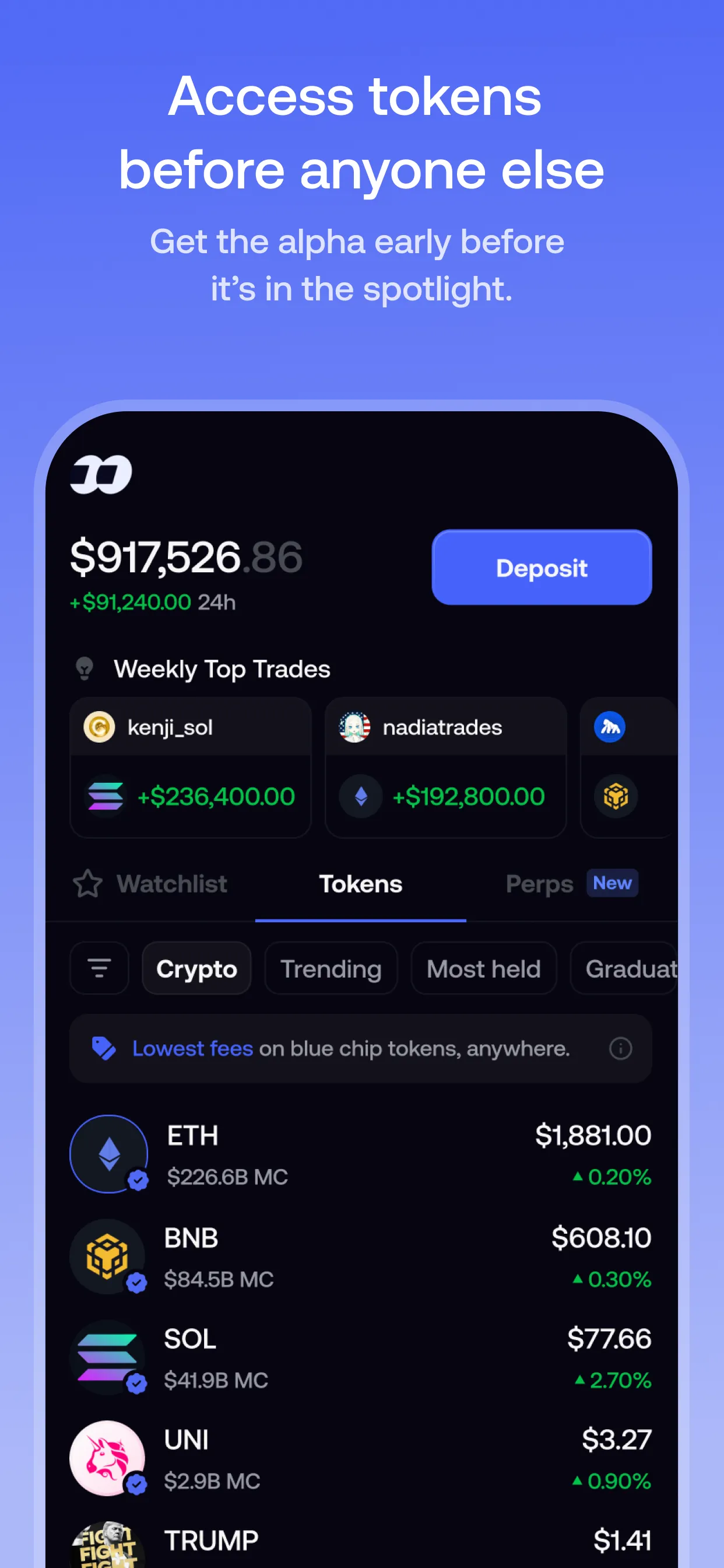
Start on the home screenYour balance, a Weekly Top Trades strip and token lists you can filter by Trending, Graduated, Bonding, Gainers and more. 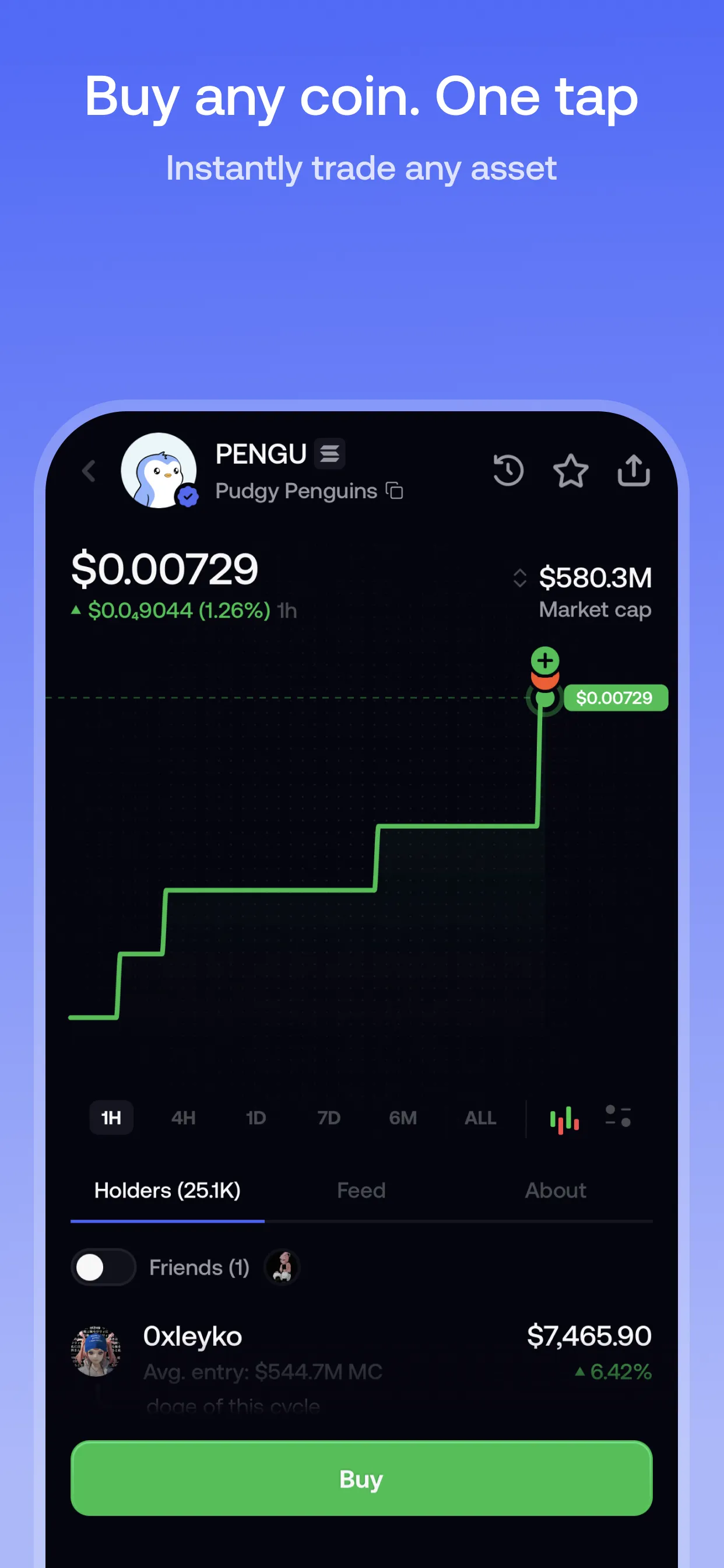
Open a tokenSearch by name or paste a contract address, like you would in a bot. The token page shows the chart, holders and other traders' activity. 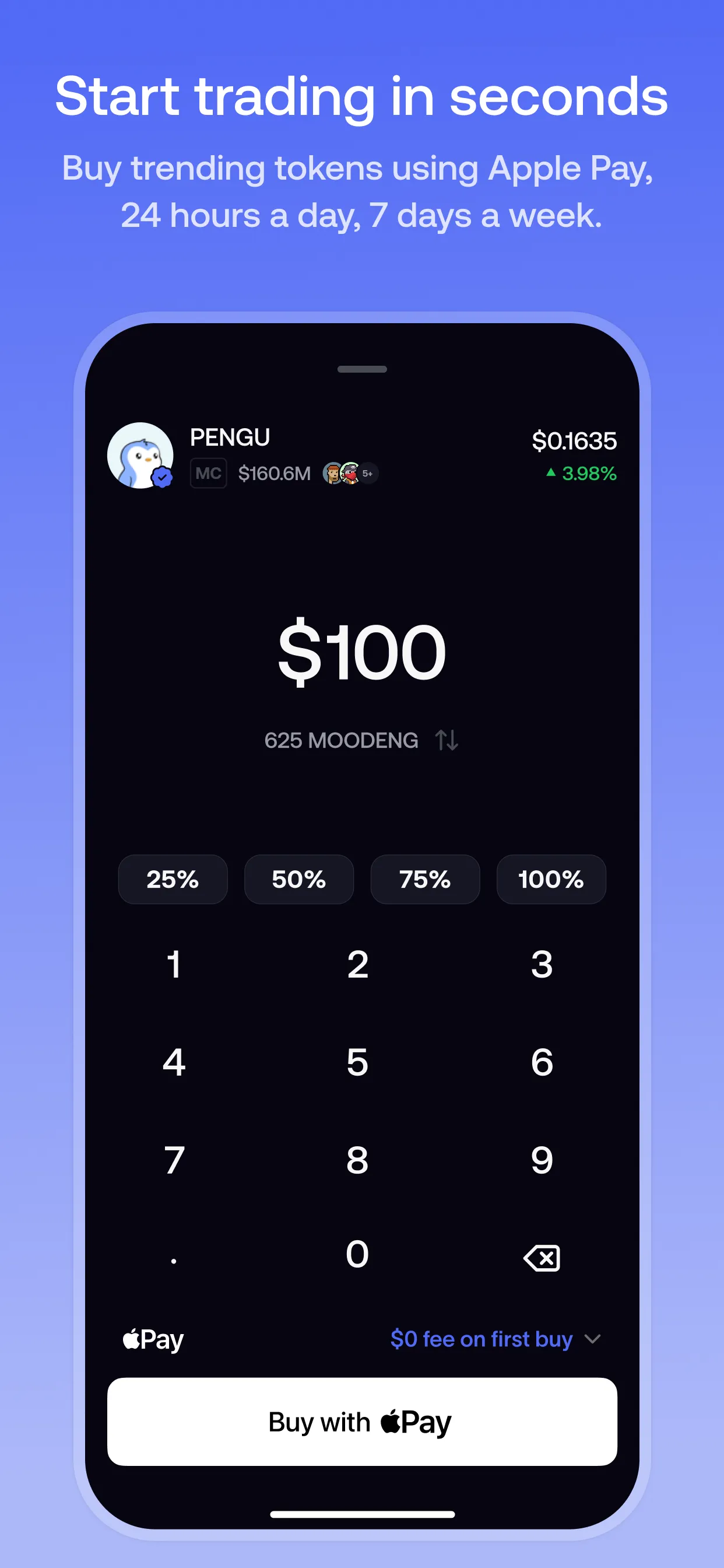
Buy in one screenEnter an amount and confirm. There are no priority fees or bribes to set: on Solana, Fomo covers network costs. 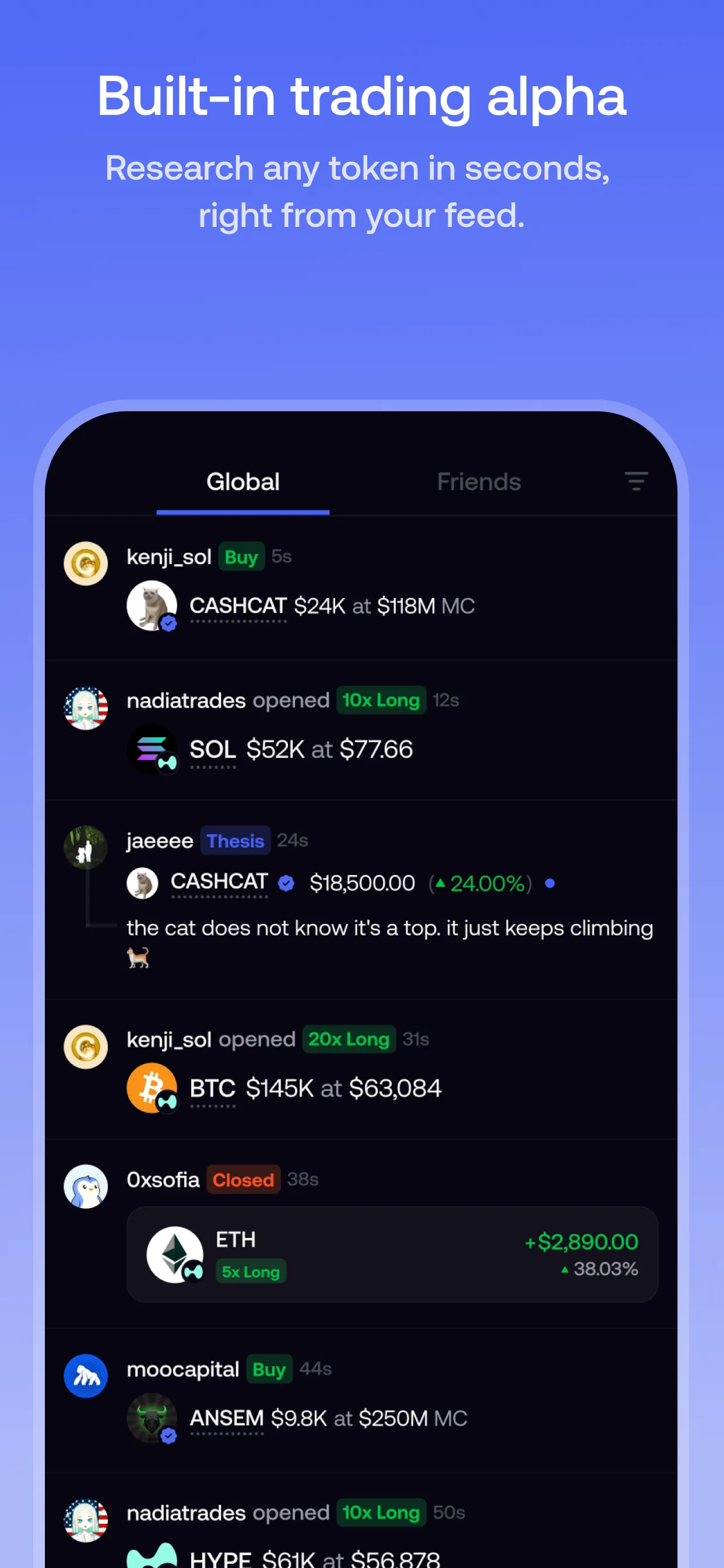
Watch the feedEvery trade on Fomo appears in the feed, with the trader's profit and often a written thesis. 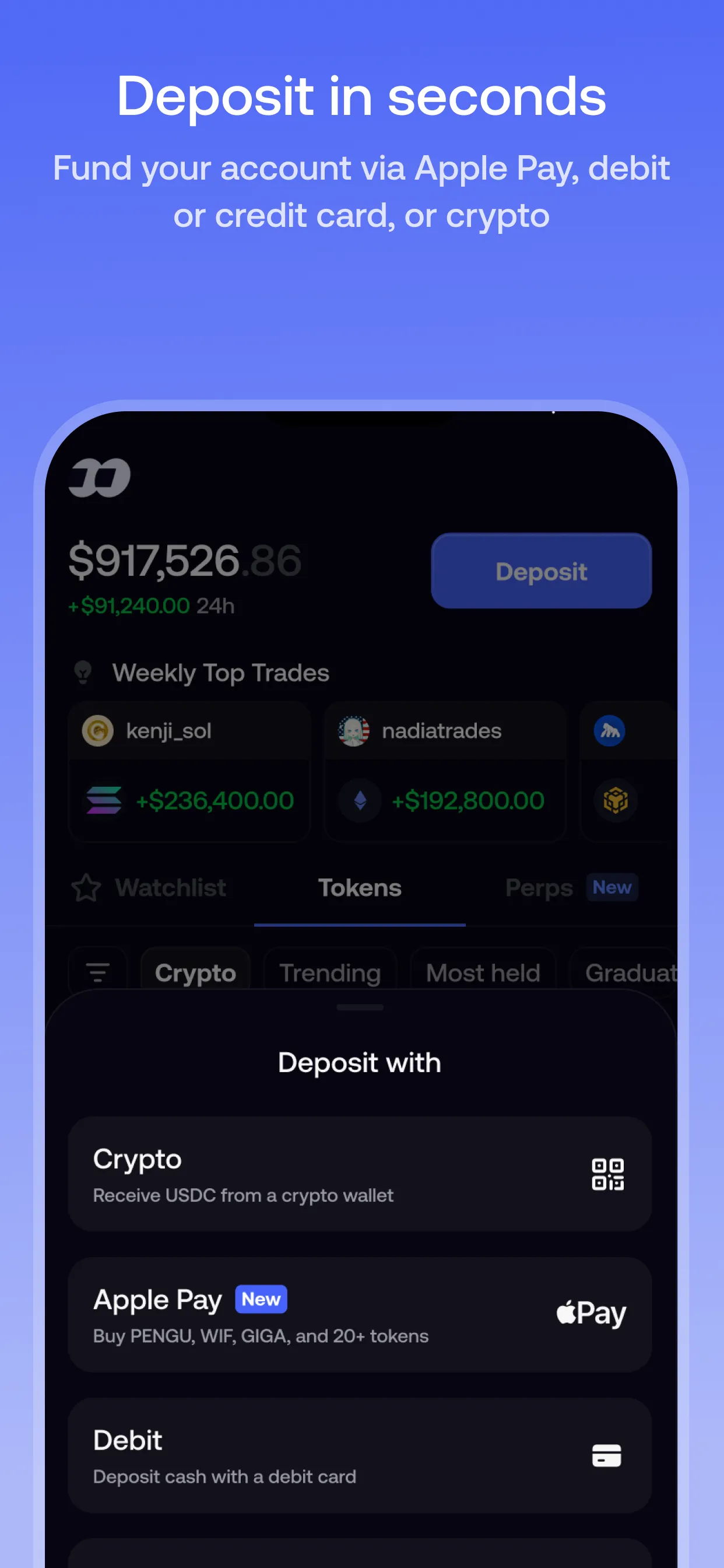
Fund with a card or USDCDebit card and Apple Pay where available, or USDC from a wallet or exchange. No SOL needed for gas.
Which should you use?
Choose Fomo if you want a lower fee on normal-size trades, a real phone app, eight chains from one balance and a feed that shows you what good traders do and why. If you trade by hand, that’s everything you need.
Choose Trojan only if you specifically need bot automation on Solana, such as copy trading, sniping or DCA orders, and you’re comfortable managing wallets, gas and slippage yourself. Our Fomo alternatives table compares more options.
Fomo vs Trojan questions
Is Fomo cheaper than Trojan?
On trades of 190 USDC or more, yes: Fomo charges 0.50%, or 0.45% with a referral code, while Trojan charges 1% with cashback that brings it to between 0.55% and 0.90% depending on product and rank. On very small Solana trades, Fomo's minimums can make it more expensive. Trojan users also pay their own priority fees.
Does Trojan have a mobile app?
Trojan runs as a Telegram bot, which works on phones, and its web terminal has a mobile layout you can add to your home screen. Its docs don't describe a native App Store or Google Play app. Fomo has native iPhone and Android apps.
Can I copy trade on Fomo like on Trojan?
No. Fomo doesn't offer copy trading. You can follow traders, get notified when they trade and read their theses, but you place every trade yourself.
Which chains does Trojan support?
Trojan trades on Solana. Its docs describe bridging funds from other chains through deBridge, and perps through Hyperliquid. Fomo trades on eight chains: Solana, Base, BNB Chain, Monad, Ethereum, Robinhood Chain, Arc and Elysium.
How does Trojan cashback work?
Trojan pays part of its 1% fee back in SOL. Every Telegram bot user gets 20%. On the web terminal, cashback depends on your Arena rank, from 10% at the start to 35% at Titan, and Trojan advertises up to 45%.
Can I use a referral code on Fomo if I came from Trojan?
Yes, as long as your Fomo account hasn't made a trade yet: Fomo accepts a code until your first trade. The safest place to enter it is the signup screen.
What changed on this page
- : Fomo now supports eight chains and accepts a code until your first trade.
Sources (31)
- Trading fees on fomo · Fomo Help Center, updated 9 Nov 2026
- How referral codes and fee discounts work · Fomo Help Center, updated 10 Nov 2026
- Supported chains · Fomo Help Center, updated 9 Nov 2026
- Creating your fomo account · Fomo Help Center, updated 9 Nov 2026
- How to deposit funds · Fomo Help Center, updated 3 Nov 2026
- Buying a token with Apple Pay · Fomo Help Center, updated 3 Nov 2026
- How fomo keeps your crypto secure · Fomo Help Center, updated 3 Nov 2026
- What is a private key and how to protect it · Fomo Help Center, updated 9 Nov 2026
- The social feed · Fomo Help Center, updated 23 Apr 2026
- Posting a thesis · Fomo Help Center, updated 8 Oct 2026
- Leaderboard · Fomo Help Center, updated 8 Oct 2026
- Following other traders · Fomo Help Center, updated 13 Sept 2026
- Notifications · Fomo Help Center, updated 8 Oct 2026
- Does fomo have copy trading · Fomo Help Center, updated 19 May 2026
- Navigating the app · Fomo Help Center, updated 3 Nov 2026
- What Perpetual Futures Are on fomo · Fomo Help Center, updated 12 Nov 2026
- Announcing fomo web · Fomo blog, updated 29 Apr 2026
- fomo Partners with TradingView · Fomo blog, updated 14 Apr 2026
- Faqs · docs.trojan.com
- Trojan signup login · docs.trojan.com
- Buy crypto deposit funds on trojan · docs.trojan.com
- Ranks and rewards · docs.trojan.com
- Copy trading bot · docs.trojan.com
- Limit orders · docs.trojan.com
- Dca crypto · docs.trojan.com
- Wallet management · docs.trojan.com
- Wallet tracker · docs.trojan.com
- Perpetuals · docs.trojan.com
- Trojan mobile · docs.trojan.com
- Trojan on solana faq · docs.trojanonsolana.com
- Rewards program · docs.trojanonsolana.com
Checked against these sources on 18 Oct 2026. Apps change their features, fees and policies; the live app is the final word.