
FomoTraders earns a referral reward from Fomo, so weigh this accordingly. The listing details below come from Fomo’s Google Play page and its website, both checked on 18 October 2026.
Searching “Fomo APK” usually means one of three things: you want the app fast, Google Play isn’t showing it, or a site offered you a file. The short answer to all three is the same. The real Fomo for Android comes from Google Play, and it’s free.
What you get is a single app for memecoins, tokens on eight chains, tokenized stocks and perps where they’re available, with a live feed of what other traders are buying.


Is there an official Fomo APK?
No. Fomo distributes its Android app through Google Play only. On 18 October 2026, fomo.family linked to exactly two downloads: the App Store listing and the Google Play listing. Fomo’s help center also tells Android users to reinstall “from Google Play” when the app misbehaves. It never mentions an APK.
That makes the official app easy to pin down:
| Detail | The real Fomo on Android |
|---|---|
| Store | Google Play |
| App name | fomo |
| Offered by | fomo Labs Inc. |
| Package | family.fomo.app: the listing’s address ends in id=family.fomo.app |
| Requires | Android 9 and up |
| Price | Free to install |
| Version | 1.98.1, updated 16 October 2026 |
| On Google Play since | 21 July 2025 |
| Downloads | 500,000+, as shown by Google Play |
| Data safety | The developer declares no data shared with third parties, data encrypted in transit, and that you can request deletion |
On iPhone it’s the same app under a slightly longer name, “fomo - never miss out”. Our iPhone guide covers that side.
Check a link before you install anything
Paste any link, file name or package name below. The checker compares it with Fomo’s official sources and explains what you’re looking at, and names lookalike sites security researchers have reported. Our guide to fake Fomo sites covers how those copies work.
What “Fomo APK” download sites are really offering
Search for a Fomo APK and you’ll find mirror sites with files called “FOMO”. Several of those listings are different apps that happen to share the name, including ones with nothing to do with crypto. Others claim to be the trading app but come from outside Google Play, so nobody has confirmed they’re the build fomo Labs published.
That matters more for Fomo than for a game or a utility. Fomo is the front door to a crypto wallet:
- Your login is the key to the wallet. You sign in with Google or Apple, and Fomo’s security article says that login is what secures your wallet. A modified app could show a fake sign-in screen and capture it.
- Deposit addresses come from the app. A tampered copy could show you a different address, and crypto sent to the wrong address can’t be pulled back.
- “Mod” versions promise things Fomo doesn’t offer, such as unlocked features or free trades. Fomo publishes one fee schedule for everyone, and the only discount it documents is a referral code, added before your first trade.
The genuine app avoids all of this, and Fomo’s own design adds a layer: your private key is split into shares so that “no single party, including fomo, holds enough to reconstruct it”. That protection is only worth having in the real app.
How to install Fomo on Android, step by step
- Copy the code first. Tap theses or the copy button above, so it’s on your clipboard when you reach signup.
- Open the real listing. Use the Google Play button on this page, or open our referral link on your phone: Fomo’s invite page shows the code and a Download app button.
- Check the listing. The app is “fomo”, offered by fomo Labs Inc., and the address ends in
id=family.fomo.app. - Install and open it. If your phone runs Android 8 or older, Google Play won’t offer the app. Skip to using Fomo without Google Play.
- Sign up with Google or Apple. There’s no seed phrase to write down, and Fomo creates your wallet automatically. Remember which login you used: a different login creates a separate account.
- Enter theses on the signup screen for 10% off trading fees.
- Turn on your fingerprint. In Settings, Security, Fomo can ask for it before withdrawals and private-key exports, and when you open the app.
Installing from a computer? Open the Google Play listing in your browser while signed in to the Google account on your phone. Google Play’s Install button can send the app straight to that phone.
Pick your device
Which Fomo download fits your device?
iPhone: App Store
Requires iOS 16.4 or later
- Install "fomo - never miss out". The seller shown on the listing is FOMO Labs Inc.
- Apple Pay can buy a token directly, and a debit card saved in Apple Wallet can add cash to your balance.
- Turn on biometrics in Settings, Security and Fomo asks for them before withdrawals and private-key exports. On iPhone that's Face ID or Touch ID.
Before the signup screen, copy theses. Entering it there gives you 10% off trading fees. Fomo won't accept a code after your first trade.
iPad: App Store
Requires iPadOS 16.4 or later
- It's the same App Store listing as the iPhone app.
- Sign in with the Apple ID or Google account you used on your phone and you see the same account. A different login creates a new, separate account.
Before the signup screen, copy theses. Entering it there gives you 10% off trading fees. Fomo won't accept a code after your first trade.
Mac: fomo.family, or the App Store on Apple silicon
App Store version: macOS 12.0 or later on a Mac with an Apple M1 chip or later
- The simplest route is Fomo's web app at fomo.family. Nothing to install.
- Fomo's App Store listing also lists Macs with Apple silicon as compatible, so you can install the app from the Mac App Store instead.
- Either way, sign in with the same Apple ID or Google account as on your phone.
This button opens fomo.family with theses attached. Fomo says a code from a fomo.family/r/ link applies on its own after you log in, giving you 10% off trading fees, as long as you haven't traded yet.
Android: Google Play
Requires Android 9 and up
- Install fomo by fomo Labs Inc. The listing's address ends in
id=family.fomo.app. - Fomo doesn't publish an APK. If Google Play isn't available to you, use fomo.family in Chrome instead.
- Turn on biometrics in Settings, Security and Fomo asks for them before withdrawals and private-key exports. On Android that's your fingerprint.
Before the signup screen, copy theses. Entering it there gives you 10% off trading fees. Fomo won't accept a code after your first trade.
Chromebook: fomo.family in Chrome
Any up-to-date Chrome browser
- Use Fomo's web app at fomo.family in Chrome.
- Some Chromebooks can install Android apps from Google Play. If yours shows Fomo there, it's the same listing (
family.fomo.app), but Fomo doesn't document Chromebook support, so the web app is the safer bet.
This button opens fomo.family with theses attached. Fomo says a code from a fomo.family/r/ link applies on its own after you log in, giving you 10% off trading fees, as long as you haven't traded yet.
Windows PC: fomo.family in your browser
Any modern desktop browser
- Fomo runs in your browser at fomo.family, so there's nothing to download.
- Fomo's website offers no Windows download. Ignore any site offering a Fomo .exe or installer.
This button opens fomo.family with theses attached. Fomo says a code from a fomo.family/r/ link applies on its own after you log in, giving you 10% off trading fees, as long as you haven't traded yet.
Android vs iPhone: what’s different
It’s one account. Sign in with the same Google account or Apple ID on any device and you see the same balance, positions and follows. There are two practical differences:
- Funding. Fomo’s Apple Pay option, which buys a chosen token directly, needs an iPhone or iPad. On Android, Fomo’s Deposit screen offers whatever your account can use among a debit card (or Google Pay where offered), USDC from another wallet or exchange, a US bank transfer, and Coinbase or Cash App. Fomo says USDC deposits work everywhere it’s available.
- Biometrics. Fingerprint unlock on Android, Face ID or Touch ID on iPhone. Both protect the same actions.
Everything you trade with is the same: the feed, theses, the leaderboard, eight chains from one balance, and the same fee. That’s 0.45% with a referral code, against 0.50% standard.
No Google Play? Use Fomo in Chrome
Some phones can’t use Google Play, such as recent Huawei models or phones older than Android 9. For those, Fomo’s answer is its web app, not an APK.
- Open fomo.family in Chrome. Type it yourself rather than following a link from a message.
- Sign up with Google or Apple, and enter theses when you create the account.
- In Chrome’s menu, choose Add to Home screen so Fomo opens like an app.
When Fomo launched its web app in April 2026, it said web users could fund with crypto straight away and use the mobile app for Apple Pay and debit card deposits. See our Fomo web guide for the details.
If Fomo isn’t offered in your country, neither route will work. Fomo says it’s available in most countries, with exclusions listed in its Terms of Service. Don’t use a VPN to get around that: Fomo’s perps terms explicitly prohibit using a VPN or proxy to get around geographic limits.
What you get once Fomo is installed
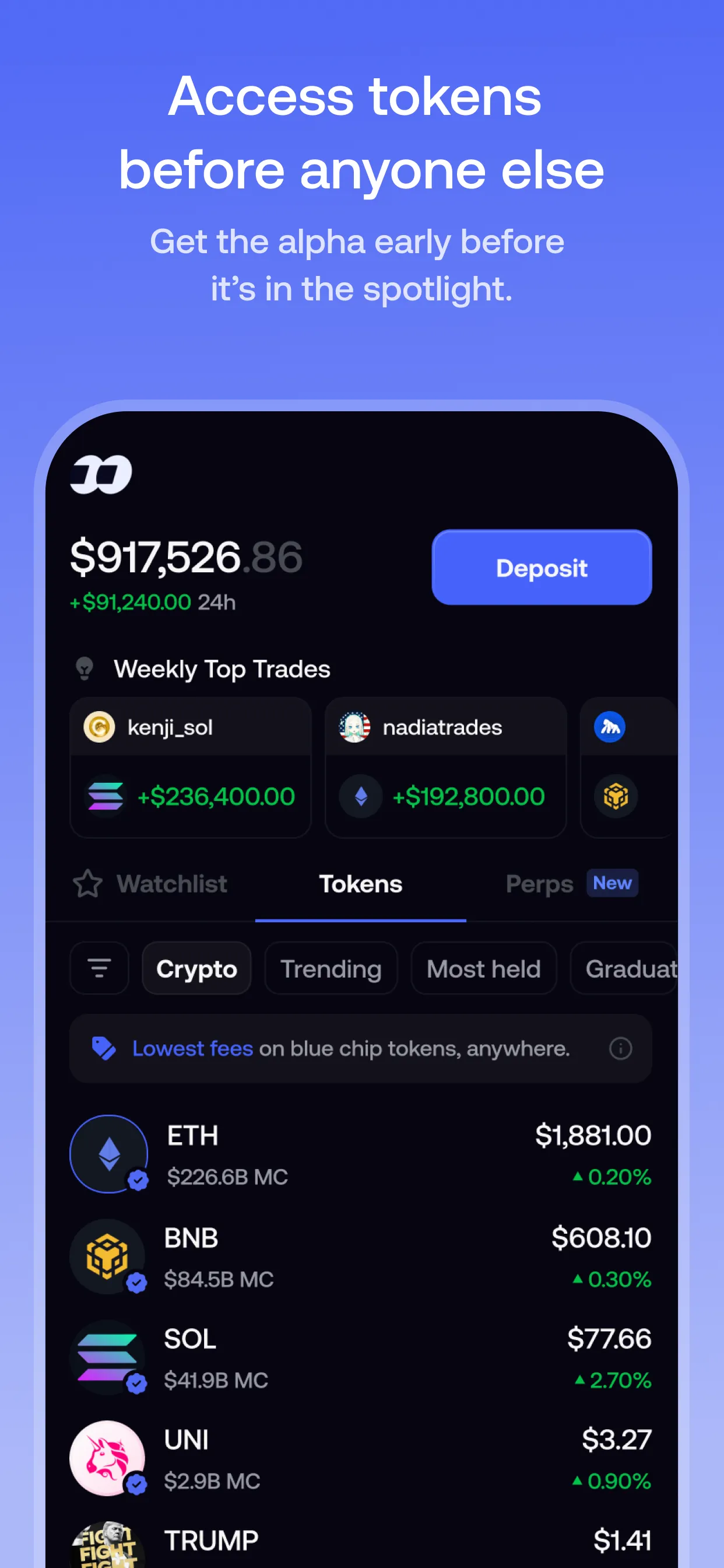
HomeTrending, most held, gainers and new tokens across eight chains, all from one balance. 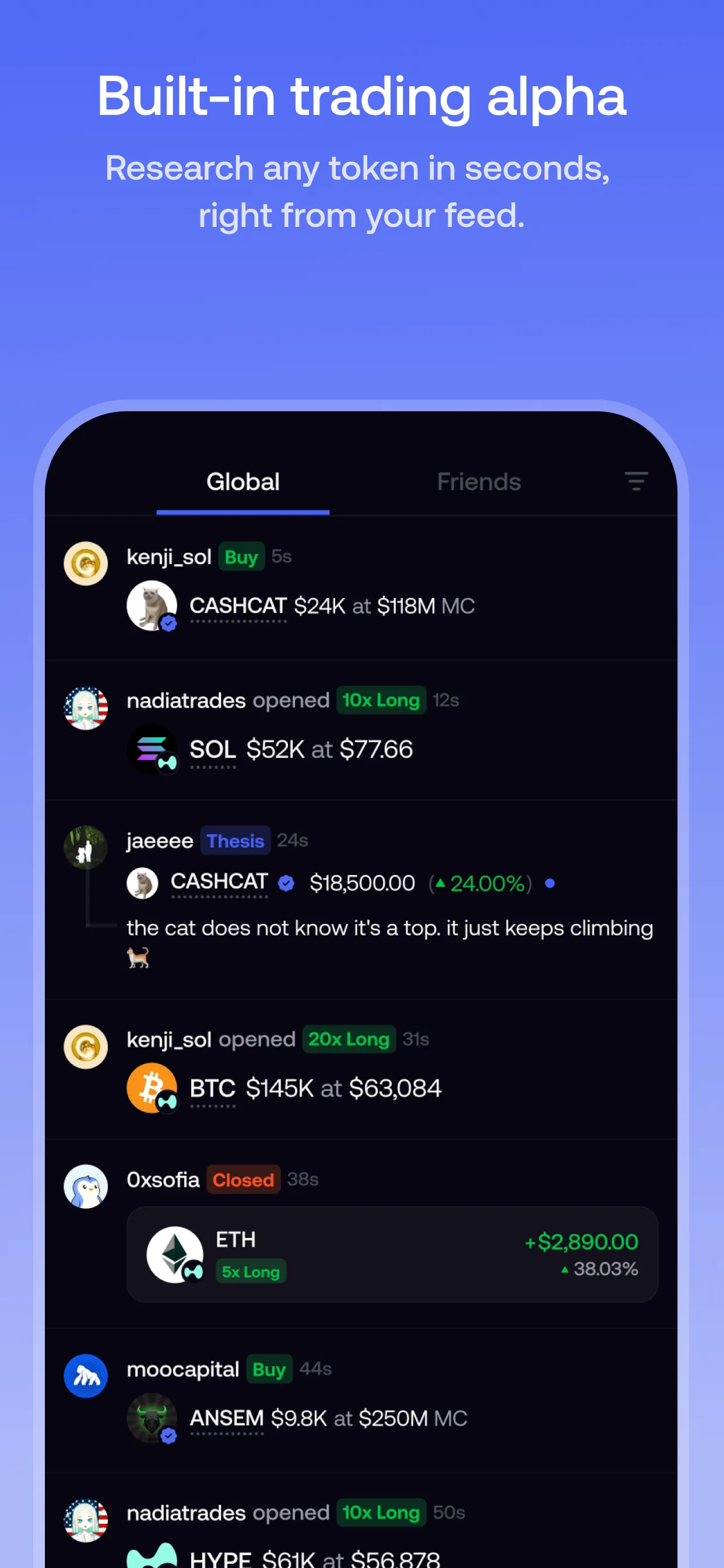
The feedReal trades from other traders as they happen, with their profit and often a written thesis. 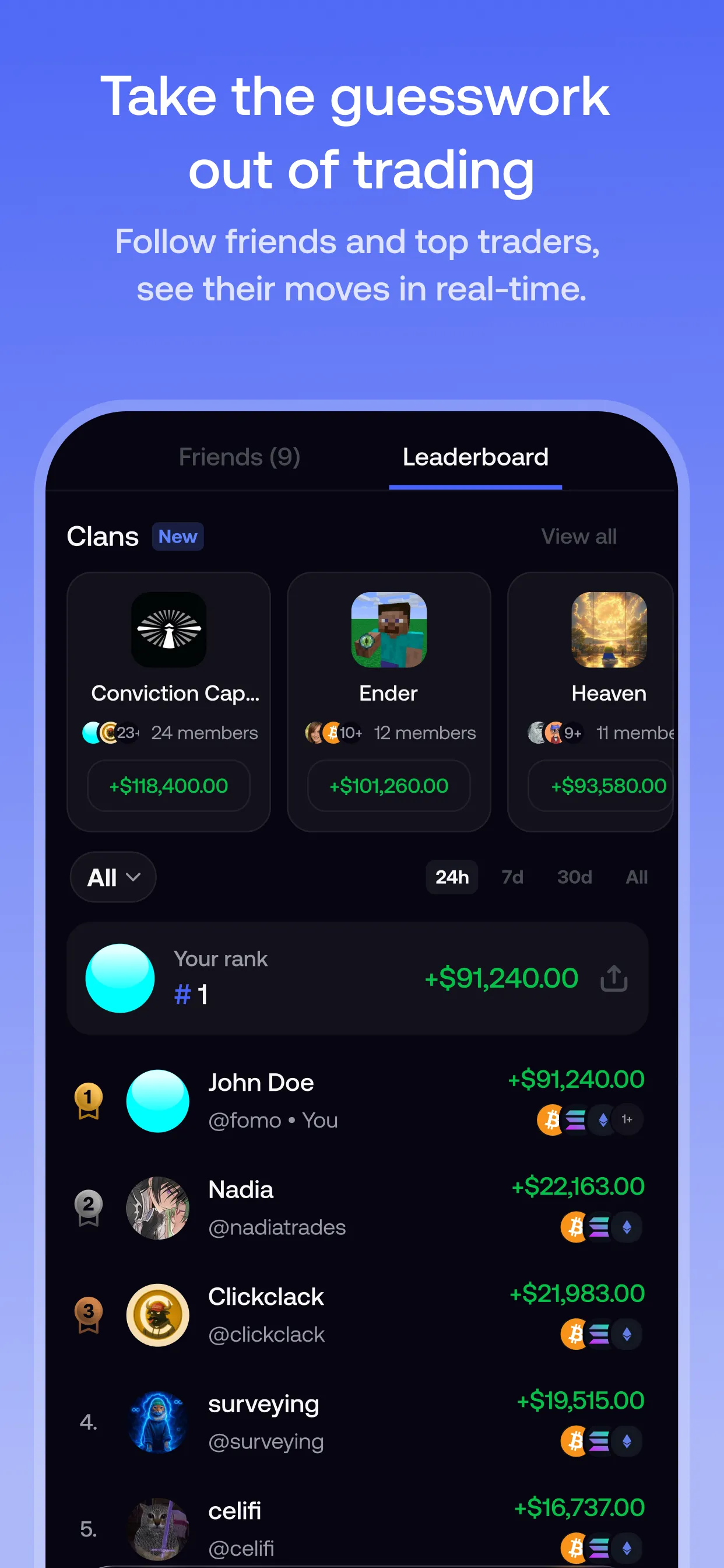
LeaderboardTraders ranked by profit. Follow the ones you want to watch. 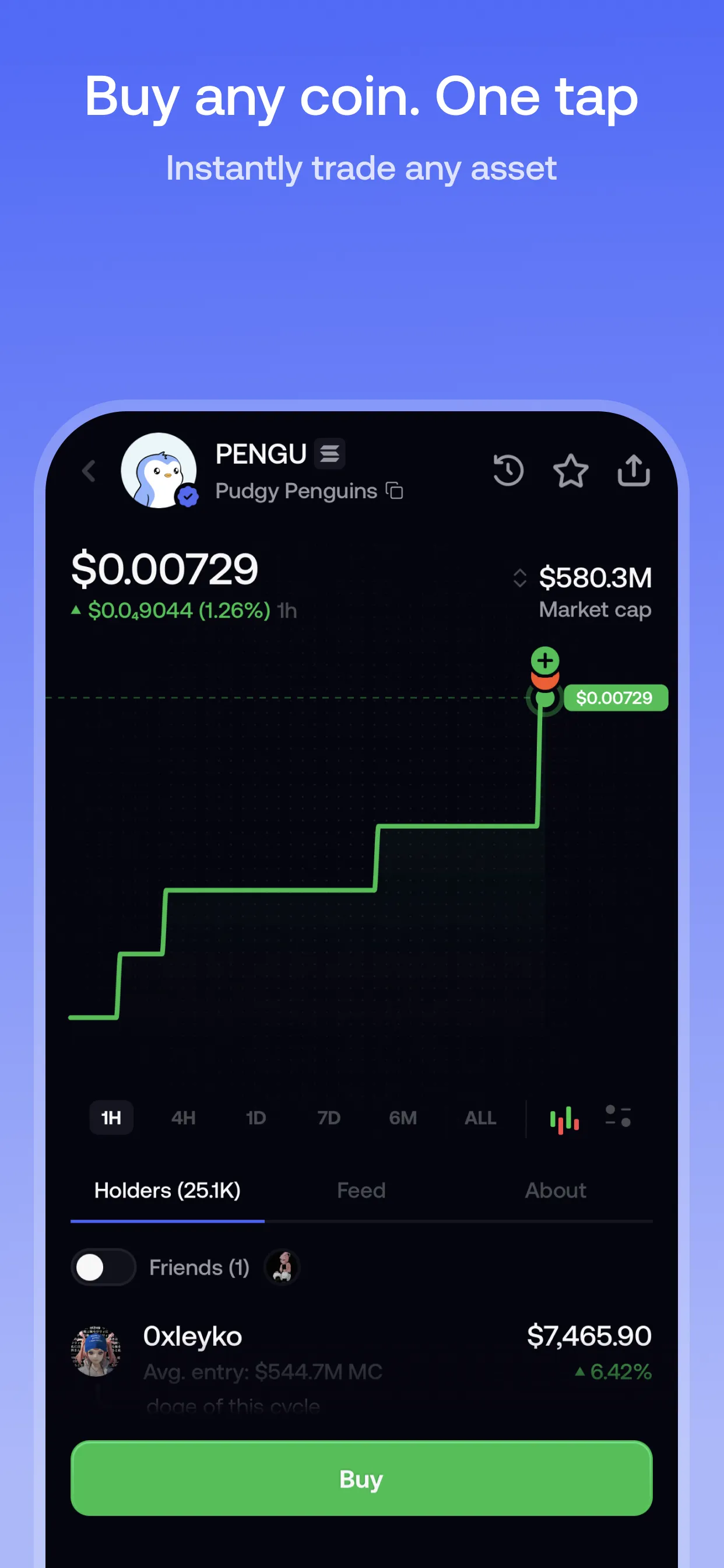
ResearchChart, holders, liquidity and risk labels on every token page. 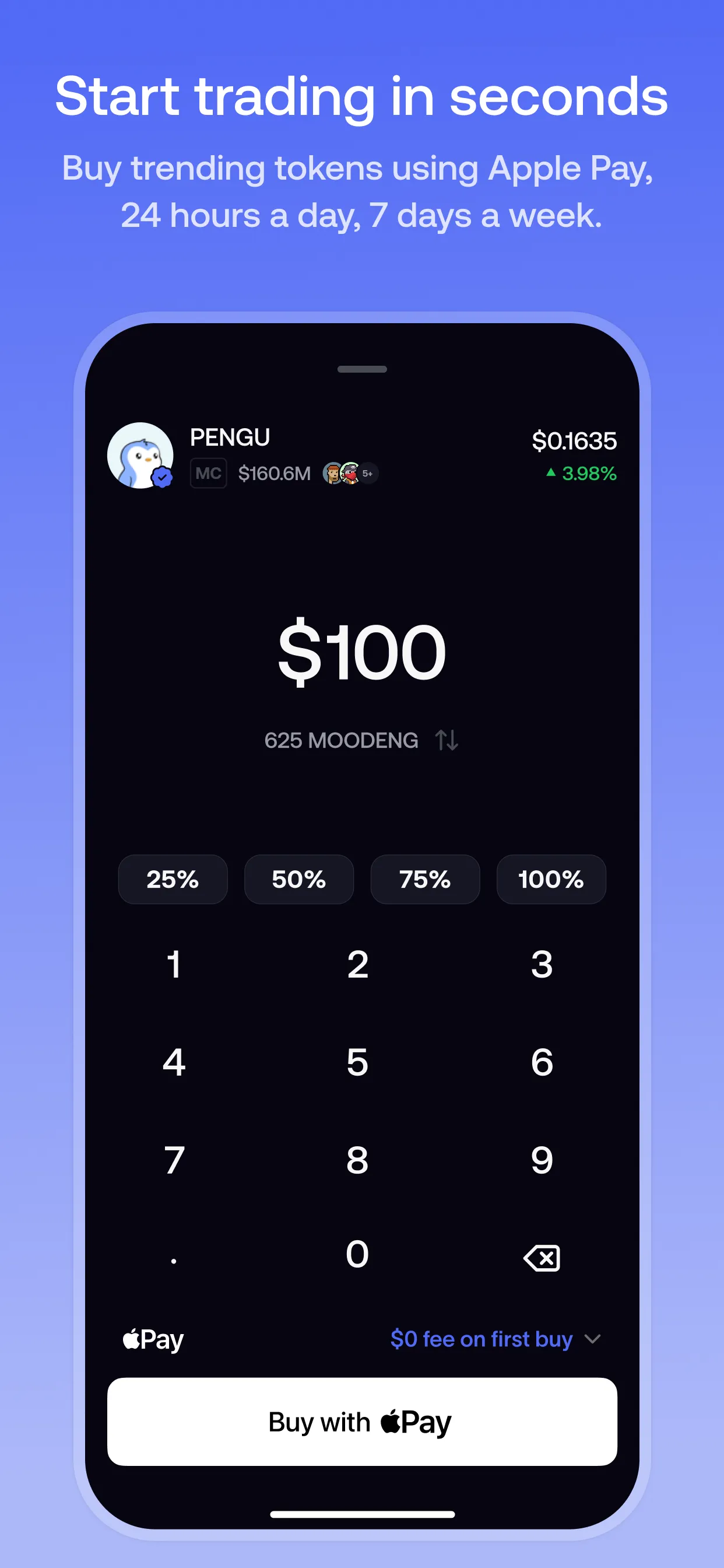
BuyEnter an amount and confirm. With code theses the standard fee is 0.45%. 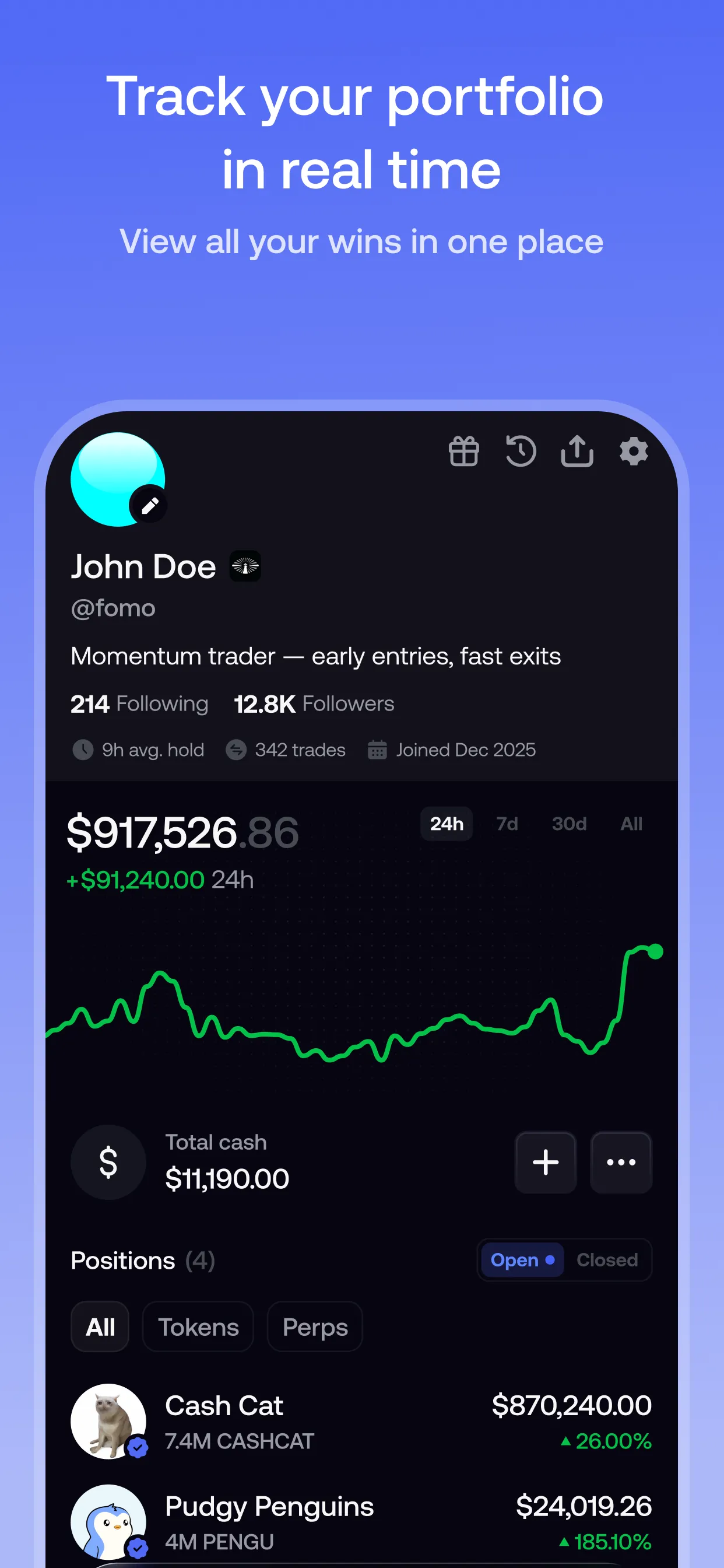
PortfolioPositions and profit across every chain in one view.
Fomo on Android: fixing common problems
- The app won’t load. Fomo’s help center says to close it from your recent apps and reopen it. If that fails, uninstall and reinstall from Google Play. Reinstalling doesn’t touch your account, balances or positions, as long as you sign back in with the same login.
- I can’t find Fomo on Google Play. Search for “fomo” and check the developer, or open the listing from fomo.family. If it still doesn’t show, your phone may be below Android 9, or Fomo may not be offered in your country.
- I already installed an APK. Uninstall it and install from Google Play. If you signed in through that copy, secure your Google account first: change the password and turn on two-step verification. Then check your wallet history. Fomo’s help center has an article on unauthorized transactions if anything looks wrong.
- I forgot to enter the code. If you haven’t traded yet, log in again: Fomo’s app asks for a code at login while no referrer is recorded and you haven’t made a trade. After your first trade a code can’t be added. If you signed up through a referral link and no referrer was recorded, support can attach that code: Portfolio tab, gear icon, Help and Support, Contact support.
Fomo APK questions
Is there an official Fomo APK download?
No. Fomo publishes its Android app on Google Play only, as "fomo" by fomo Labs Inc. with the package family.fomo.app. Fomo's website links only to Google Play and the App Store. If you can't use Google Play, use the web app at fomo.family instead.
Is the Fomo APK on APK download sites safe?
Treat it as unofficial. It hasn't come through Google Play, so you can't confirm it's the build fomo Labs published, and some "FOMO" files there are unrelated apps with the same name. Because the app is your way into a crypto wallet, install only from Google Play.
Is there a Fomo mod APK?
No. Fomo doesn't publish an APK at all, so a "Fomo mod APK" is someone else's modified copy of the app. Mods often promise unlocked features or free trades, but Fomo has one fee schedule for everyone: 0.50% standard, or 0.45% with a referral code. Because the app is your login to a crypto wallet, a modified copy could capture that login or show you a fake deposit address. Install only from Google Play.
What Android version does Fomo need?
Android 9 or later, according to its Google Play listing. On older phones, use the web app at fomo.family in Chrome.
Is the Fomo app free on Android?
Yes, it's free to install from Google Play. You pay a trading fee when you trade: 0.50% standard, or 0.45% if you signed up with a referral code such as theses.
Can I use Fomo on a Huawei phone without Google Play?
Fomo only lists Google Play for Android, so use the web app at fomo.family in your browser and add it to your home screen. Sign in with the same Google account or Apple ID on every device.
Is the Android app the same as the iPhone app?
It's the same account and the same trading features. Sign in with the same login and you see the same balance. The differences are Apple Pay, which needs an Apple device, and fingerprint instead of Face ID for biometrics.
Can I add a referral code after installing Fomo?
Yes, until your first trade. Fomo's app asks for a code when you log in, as long as no referrer is recorded and you haven't traded yet. After your first trade it can't be added, so copy theses before you create your account to get 10% off trading fees.
What changed on this page
- : Added whether there's a Fomo mod APK, and updated when a referral code can be added.
- : Fomo now supports eight chains and accepts a code until your first trade; menu paths updated.
Sources (14)
- fomo (Google Play listing) · Google Play, updated 6 Nov 2026
- fomo.family · Fomo
- fomo - never miss out (App Store listing) · Apple App Store, updated 7 Nov 2026
- Where is fomo available · Fomo Help Center, updated 3 Nov 2026
- Creating your fomo account · Fomo Help Center, updated 9 Nov 2026
- The app is not loading · Fomo Help Center, updated 8 Oct 2026
- How fomo keeps your crypto secure · Fomo Help Center, updated 3 Nov 2026
- Unauthorized transactions in your wallet · Fomo Help Center, updated 8 Oct 2026
- How to deposit funds · Fomo Help Center, updated 3 Nov 2026
- Buying a token with Apple Pay · Fomo Help Center, updated 3 Nov 2026
- Announcing fomo web · Fomo blog, updated 29 Apr 2026
- How referral codes and fee discounts work · Fomo Help Center, updated 10 Nov 2026
- Fomo invite page for code theses · Fomo
- Terms of Service · Fomo, updated 26 Oct 2026
Checked against these sources on 18 Oct 2026. Apps change their features, fees and policies; the live app is the final word.