
Read this first. Fomo’s help center says it plainly: “fomo does not have a copy trading feature.” Nothing on Fomo buys or sells for you because someone else did. What Fomo gives you instead is visibility: every trade appears in a live feed, top traders are ranked by real profit, and you can be notified the moment someone you follow trades. Copying on Fomo means using that visibility to mirror a trader by hand. This playbook shows how to do it without becoming someone else’s exit liquidity.
Copying on Fomo, in seven steps
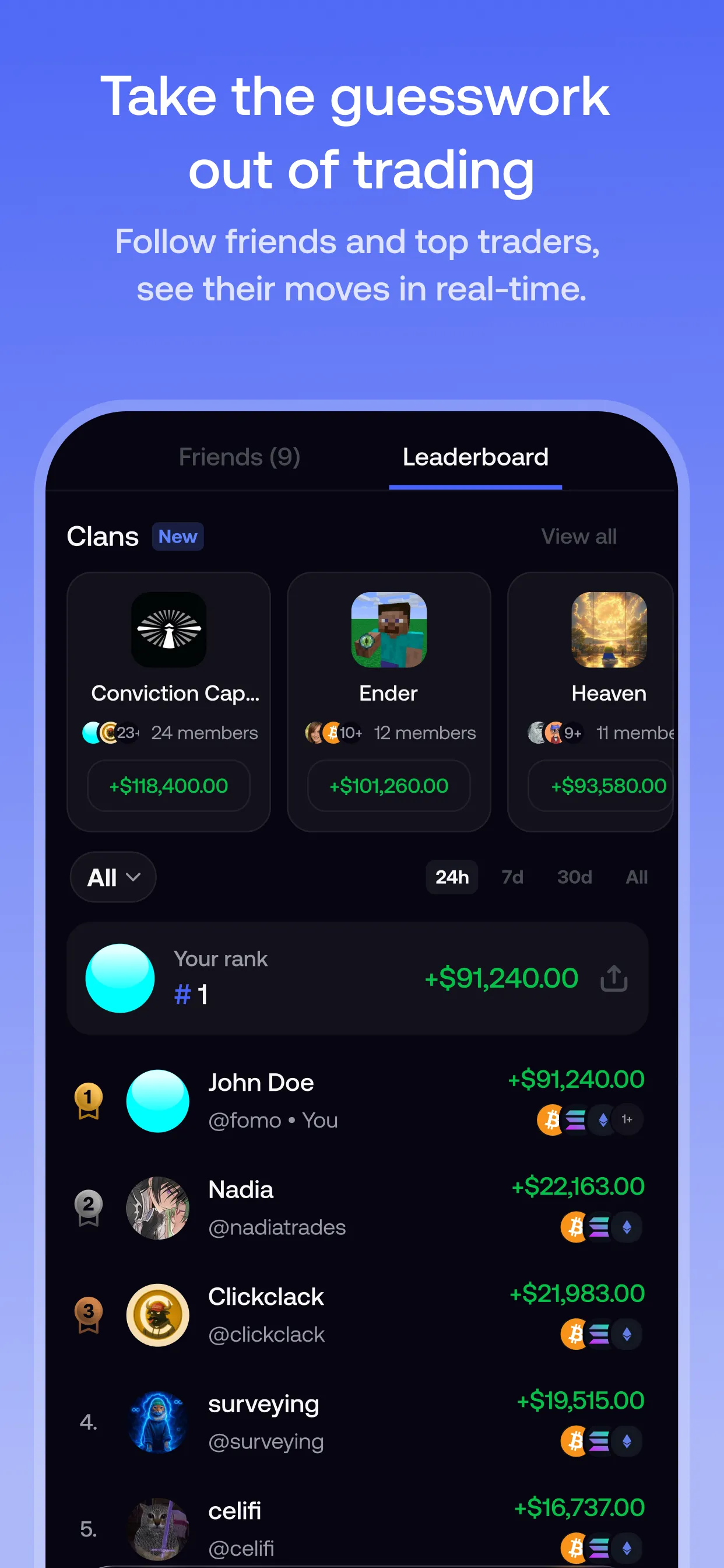
1. Find candidatesThe leaderboard ranks every trader by realized plus unrealized profit. Switch between 24 hours, 7 days, 30 days and all time. 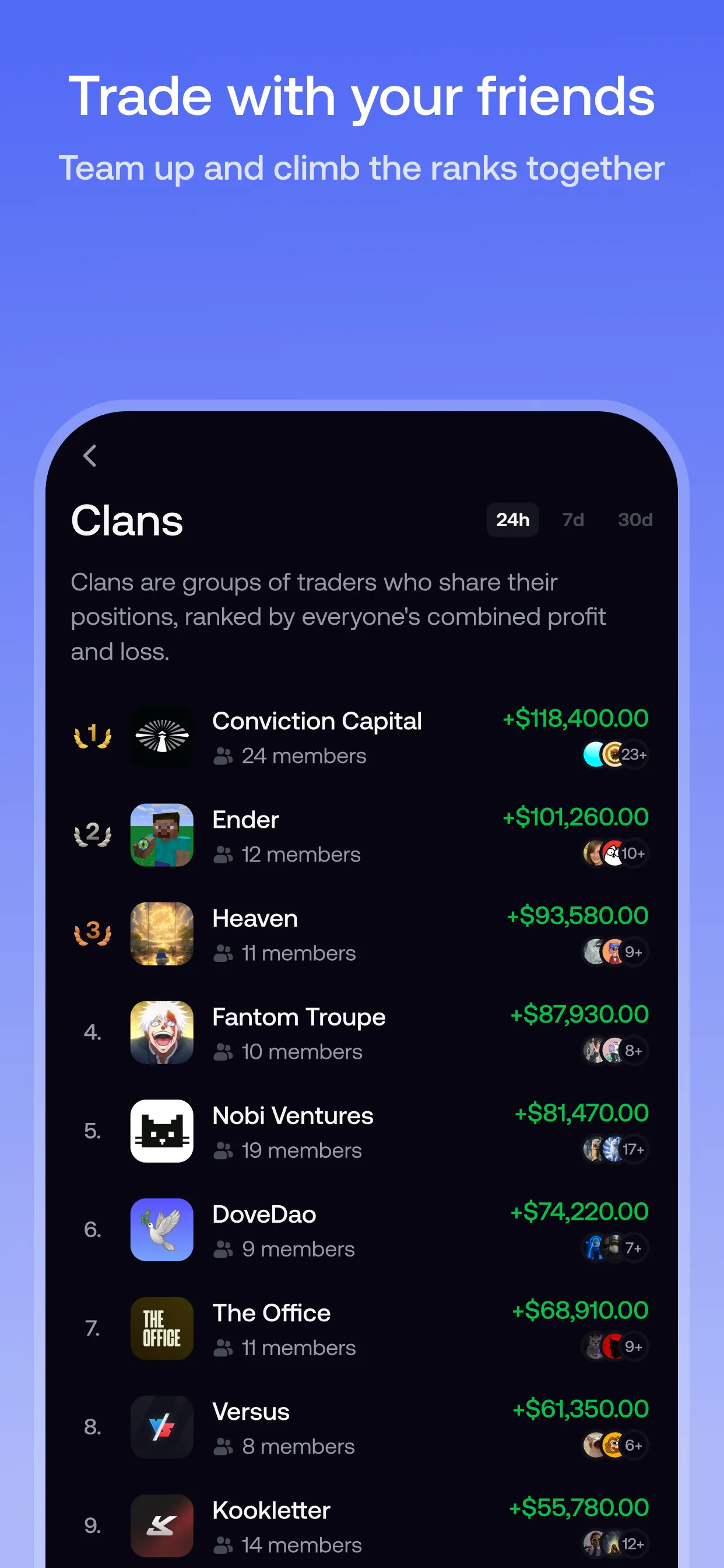
2. Check the company they keepClans group traders who share their positions, ranked by the clan's combined profit and loss. 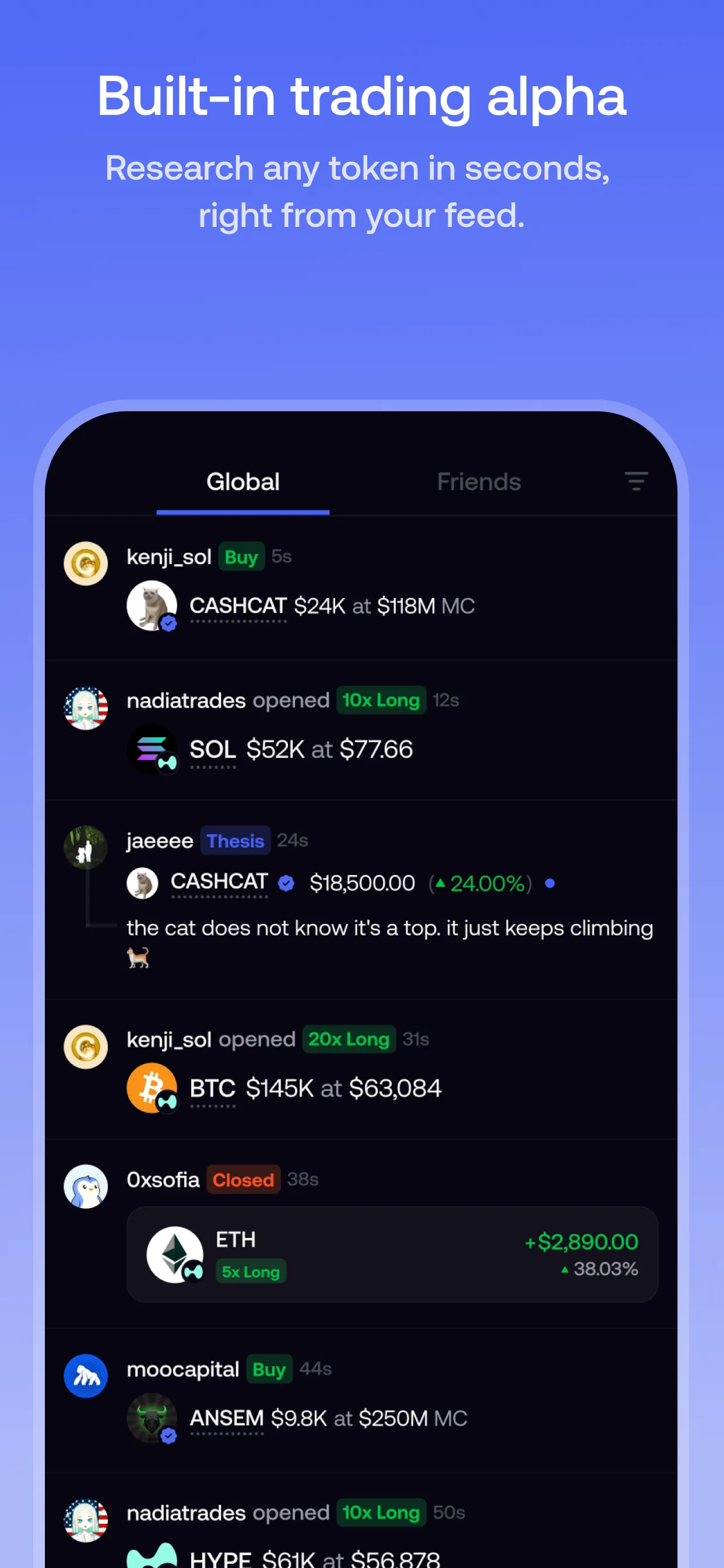
3. Watch their tradesFollow a trader and their buys, sells and theses land in your Friends-only feed. 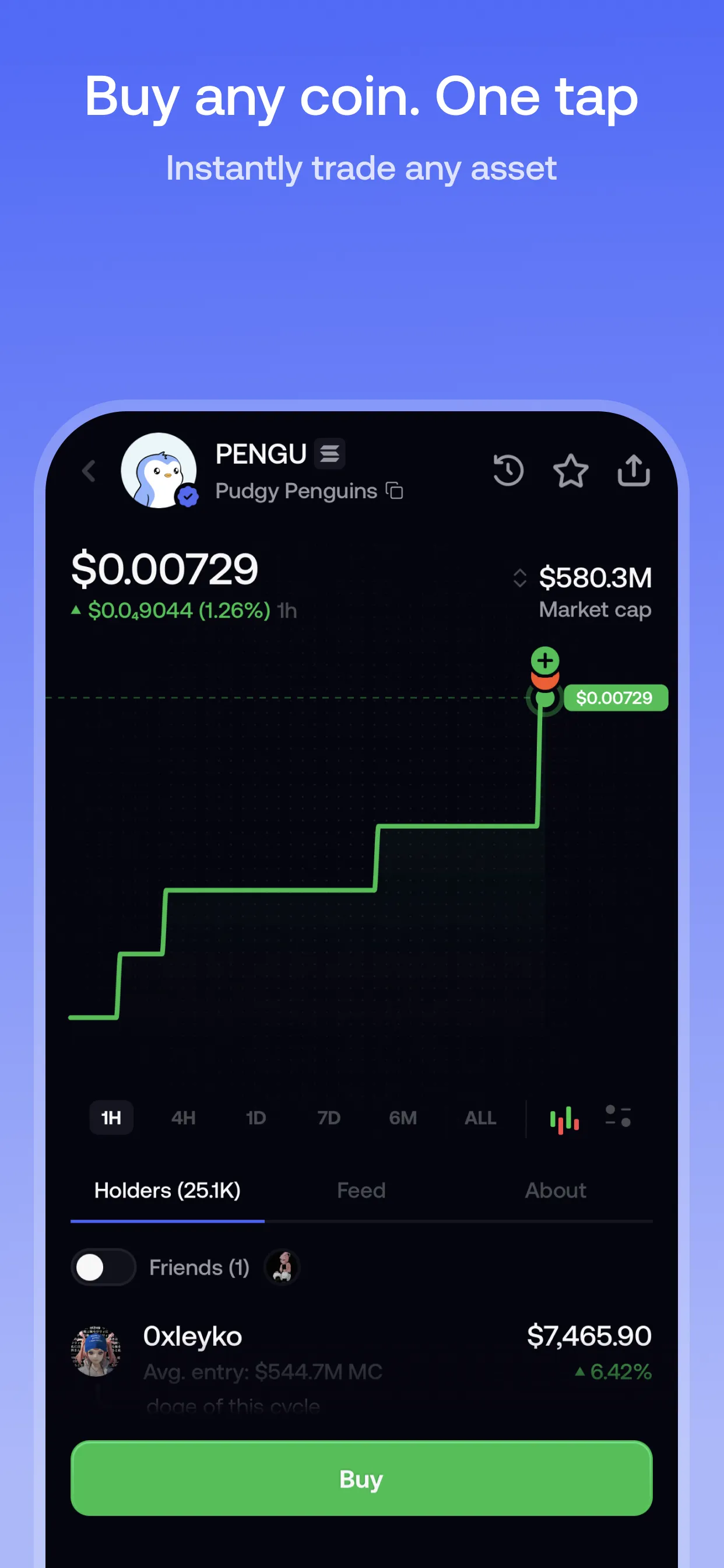
4. Research the tokenOpen the token they bought. Check liquidity and holders, and read theses from other traders. 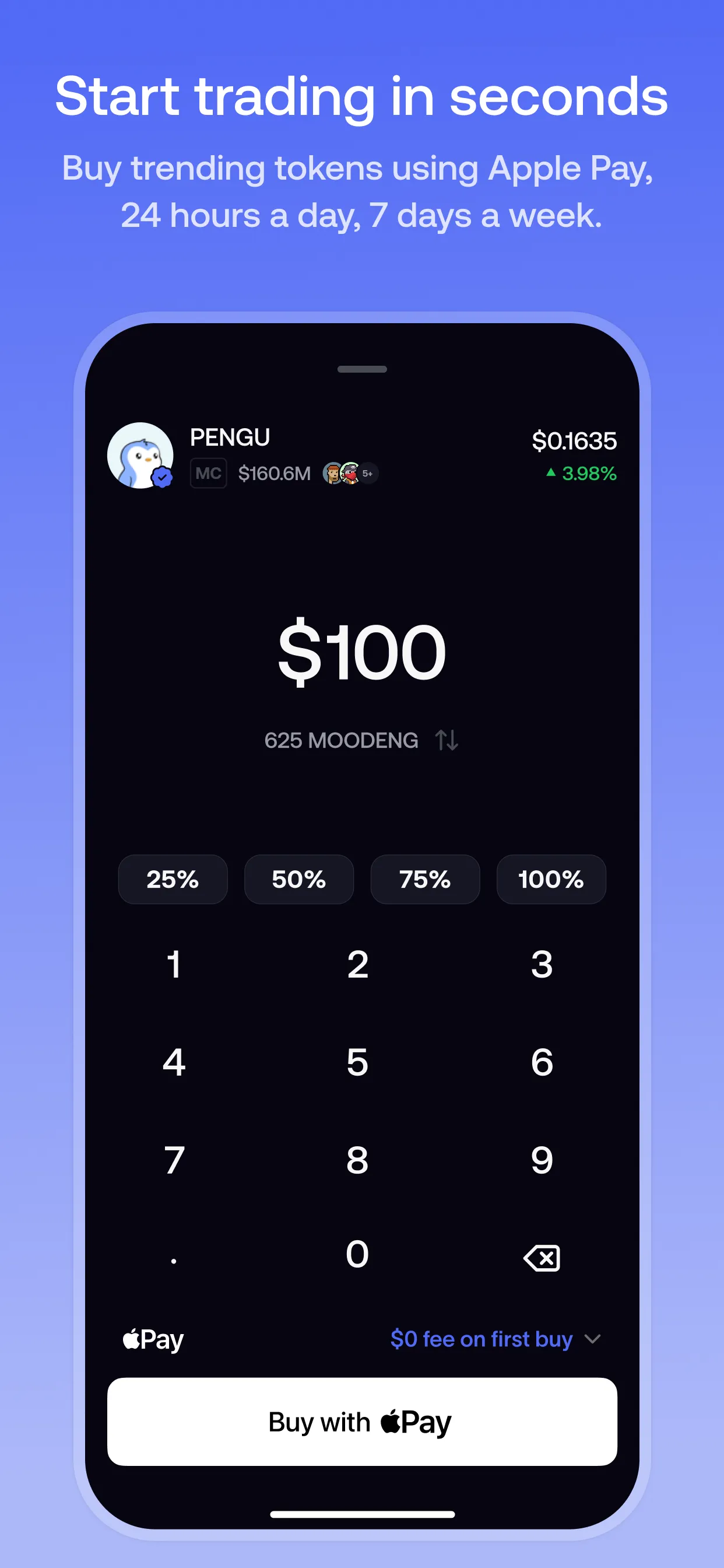
5. Buy your own sizeEnter an amount that fits your balance, not theirs. 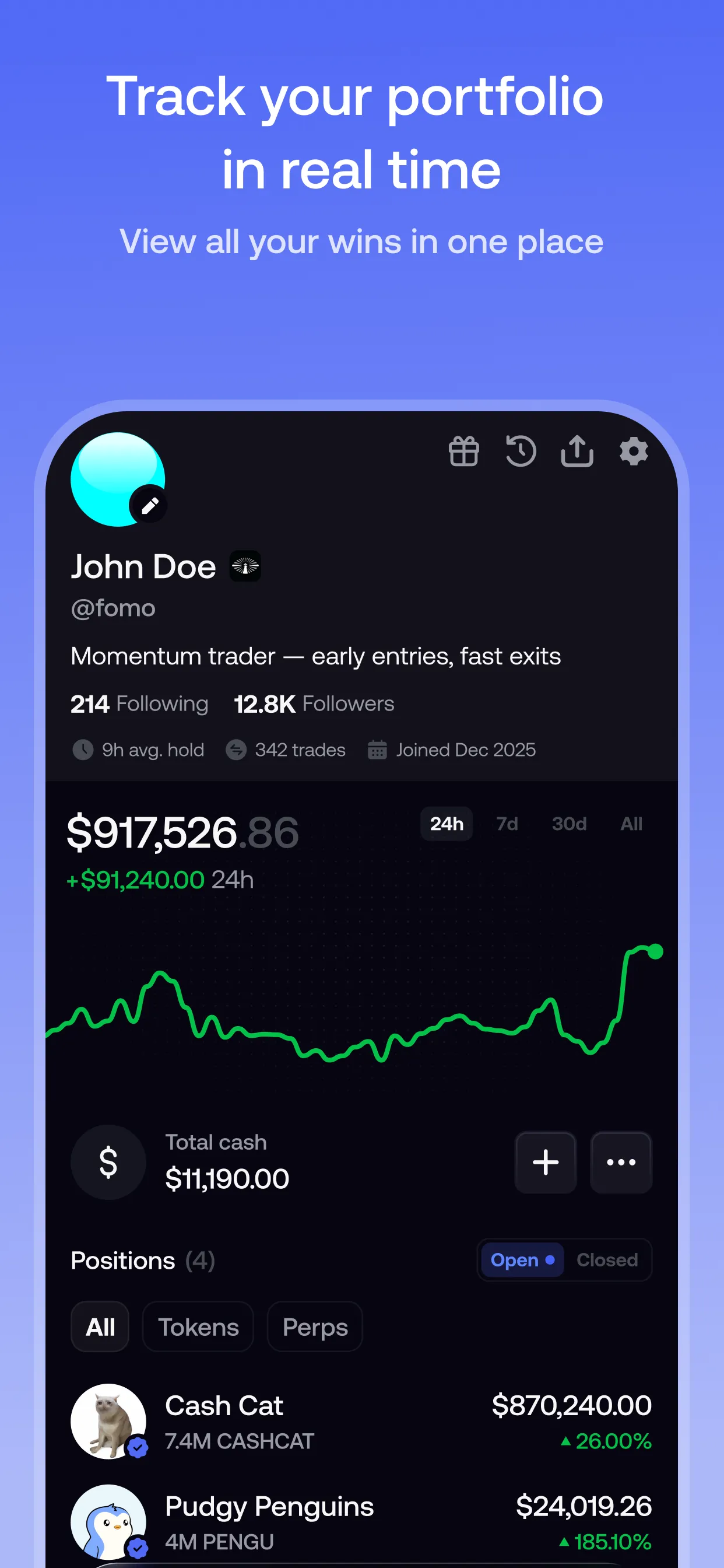
6. Manage your exitYour positions sit in your portfolio. Their sell is your cue to decide, not an order.
1. Find candidates
Start where Fomo puts its best performers:
- The leaderboard. Open the fourth tab in the bottom bar, then tap Leaderboard at the top. It ranks every trader by realized and unrealized profit, filtered by 24 hours, 7 days, 30 days or all time, and updates in real time.
- Weekly Top Trades. The home screen shows a strip of the week’s biggest trades under your portfolio value.
- The feed. The third tab shows trades from across Fomo as they happen. Each post shows who traded, what, how much and their profit.
- Clans. Groups of traders who share their positions, ranked together. A strong clan is a shortlist of people worth checking.
Clans are Fomo’s newest way to find traders. In the app, Fomo describes them as “groups of traders who share their positions,” ranked by everyone’s combined profit and loss.
Treat a clan’s ranking like any leaderboard: a starting point for research, not a buy signal.
2. Vet them before you follow
A high rank isn’t a strategy. Open the trader’s profile, which shows their positions, theses and history, and check five things:
- Consistency across time windows. Someone who only appears on the 24-hour board may have had one lucky trade.
- Realized versus unrealized profit. Fomo’s leaderboard counts open positions. A paper gain on a thin token may never be sold at that price.
- What they hold. Gains concentrated in tiny, illiquid tokens are hard to copy, because your buy moves the price too.
- Their losing trades. How big are the losers next to the winners?
- Their reasoning. Do their theses explain an entry, a target and what would change their mind?
Our guide to the Fomo leaderboard and evaluating top traders goes deeper on each check, including why win rate alone misleads.
3. Follow them
Tap Follow on their profile, or straight from one of their posts in the feed. Their buys, sells and theses then appear in your Friends only feed, and they join your Friends list in the fourth tab, which shows each trader’s profit, sortable by percentage or dollars over 24 hours, 7 days or 30 days.
Fomo caps how many traders you can follow, and the cap grows as you use the app. That’s deliberate. A short list of traders you understand beats a long list you can’t keep up with.
4. Turn on alerts
Copying works only if you see the trade quickly. Open your Profile, tap the gear icon, then Settings, then Notifications, and turn on:
- Friends’ activity. Notifies you when traders you follow trade, above a size threshold you set. Set it high enough to skip their small test buys.
- Top traders’ activity, if you also want moves from Fomo’s top performers.
- Price alerts on your holdings. Fomo notifies you when a token you hold makes a large move since you bought it. You can’t set an alert at a chosen price.
Push notifications arrive even when the app is closed.
5. Filter the feed
Fomo’s feed filters, shown in its own launch clip, let you cut the noise: a minimum trade size, a minimum portfolio size, a market-cap range, tokens or perps, and the kinds of post you want, such as trades, closed positions, theses, new listings, price spikes and profit milestones.
For copying, two settings matter most: Friends at the top, so you only see people you follow, and a minimum trade size, so you only see trades they committed real money to.
6. Read the thesis, then decide
On Fomo, a trader can attach a thesis to a position: up to 3,000 characters on why they bought. The position is attached automatically, so you can see they’re putting money behind it. They can post an updated thesis while the trade is open and for up to 3 hours after closing, and the newest version shows at the top of the token’s page.
Before copying, ask: does the thesis still hold at the price you’d pay? A token that’s already up 40% since their entry may no longer fit their own reasoning.
One quirk: on a token’s feed, theses from small positions can be hidden by the default minimum position size filter, which sits around 1,000 USDC. If a trader seems quiet, check their profile.
7. Size it for your account and plan the exit
Their position size tells you about their account, not yours. A trader with a large balance can put $20,000 into a token that would be most of yours. Decide your size as a share of your balance, and cap it at an amount you can afford to lose entirely.
Then decide how you’ll exit before you buy. You’ll usually hear about their sell after it happens, and Fomo doesn’t document stop-loss or limit orders for spot trades. Set your own rules: a profit level where you take some off, and a loss level where you get out, whatever they do. On perps, Fomo does offer take profit, stop loss and limit close orders. See our perps guide.
The copy delay, in numbers
When you copy by hand you almost always buy after the trader, at a higher price, and sell after them, at a lower one. Here’s what that does to their gain.
With the starting numbers, the trader doubles their money. You buy after a 15% move and sell after a 10% drop, and keep a little over half of their gain. On thin tokens it’s usually worse, because your own buy and sell move the price. This is the price of copying anything, by hand or by bot.
Who you shouldn’t copy
- Snipers. Traders who buy in a token’s first seconds. Trojan’s own docs warn that copying a sniper makes you their exit liquidity: you buy the top of their candle while they sell.
- One-trade wonders. A huge 24-hour rank built on a single position. Check the 30-day and all-time windows.
- Paper millionaires. Big unrealized gains in illiquid tokens. The leaderboard counts them, but they may never be sold at that price.
- High-leverage perps traders. The feed shows leverage on perps positions. A trader running 20x is taking a different risk from their spot trades, even if the profit looks the same.
- Anyone you can’t explain. If you couldn’t say why they bought, you won’t know when to sell.
Why traders post on Fomo
Fomo’s own clip describes trader rewards: traders earning from the trades their theses inspire. That’s useful to know when you read the feed. It gives traders a reason to post good reasoning, and also a reason to sound convincing. Judge a thesis by its logic and the trader’s record, not by how confident it sounds.
Want it automatic? Tools that copy trades for you
If you’d rather a bot mirror a wallet for you, several trading bots do it. Here’s what their own docs say:
| How copying works | Fee | Their warnings | |
|---|---|---|---|
| Trojan | Copy a Solana wallet’s buys by a fixed amount or a share of their buy; copy their sells or set your own take profit and stop loss; filter by market cap and liquidity | 1% per trade, with SOL cashback | Copying snipers makes you exit liquidity; wallets using custom programs can’t be copied |
| GMGN | Automatically copies a wallet’s buys and sells, up to 10 copy tasks, on Solana | 1% per trade | Frequent copy trades can eat through your balance in priority fees |
| Banana Gun | Copy trades on Solana and EVM chains, with spending limits, a time limit and token filters | Its site lists 0.5% for manual trades and 1% for snipes; free-trade credits don’t apply to copy trades | A target wallet can turn malicious and buy into pump-and-dumps or honeypots |
Automation fixes the speed problem but not the judgment problem. A bot copies a bad trade as faithfully as a good one, and on a heavily copied wallet everyone’s copies compete for the same price. If you use one, start small and review its trades daily.
Fomo copy trading questions
Does Fomo have copy trading?
No. Fomo's help center says it doesn't offer copy trading. You can follow traders, see their trades in your feed, read their theses and get notified when they trade, but you place every trade yourself.
How do I get notified when a trader buys?
Follow them, then open your Profile, tap the gear icon, then Settings, then Notifications, and turn on Friends' activity. Fomo notifies you about their buys and sells above a threshold you set.
Is sending money to a trader on Fomo the same as copying them?
No. Sending funds from someone's profile is a direct transfer to their wallet, not a copy trade, and blockchain transfers can't be reversed. Never send money to someone who promises to trade for you.
How much of a trader's gain will I keep?
Usually less than they made, because you buy after them and often sell after them. In our simulator, if a trader doubles their money and you buy 15% higher and sell 10% lower, you keep a little over half of their gain. Real results depend on the token and on timing.
Can I follow as many traders as I want?
No. Fomo caps how many traders you can follow, and the cap grows with your own activity in the app.
Which is better for copying, Fomo or a bot?
A bot is faster and can copy while you sleep, but it copies bad trades too and charges its own fee on every trade: 1% on Trojan and GMGN, before any cashback. Fomo is slower because you decide each trade, but its fee is 0.50%, or 0.45% with a referral code, and you see the trader's reasoning before you act.
What changed on this page
- : Fomo now accepts a referral code until your first trade.
Sources (21)
- Does fomo have copy trading · Fomo Help Center, updated 19 May 2026
- Leaderboard · Fomo Help Center, updated 8 Oct 2026
- Following other traders · Fomo Help Center, updated 13 Sept 2026
- Notifications · Fomo Help Center, updated 8 Oct 2026
- The social feed · Fomo Help Center, updated 23 Apr 2026
- Posting a thesis · Fomo Help Center, updated 8 Oct 2026
- Understanding your PnL · Fomo Help Center, updated 23 Apr 2026
- Navigating the app · Fomo Help Center, updated 3 Nov 2026
- Sending to another fomo user · Fomo Help Center, updated 3 Nov 2026
- Can I reverse a trade or transfer · Fomo Help Center, updated 31 Oct 2026
- Trading fees on fomo · Fomo Help Center, updated 9 Nov 2026
- How referral codes and fee discounts work · Fomo Help Center, updated 10 Nov 2026
- Leveraging fomo's Social Features: Leaderboards, Feeds, and Notifications · Fomo blog, updated 25 Dec 2025
- How Do I Find Profitable Crypto Traders to Follow? · Fomo Answers, updated 19 Feb 2026
- Copy trading bot · docs.trojan.com
- Trojan on solana faq · docs.trojanonsolana.com
- Wallet tracker · docs.trojan.com
- Copy trade copy smart money automatically earn sol · docs.gmgn.ai
- Copy trading · banana-gun.gitbook.io
- Rewards · banana-gun.gitbook.io
- bananagun.io · bananagun.io
Checked against these sources on 18 Oct 2026. Apps change their features, fees and policies; the live app is the final word.