
FomoTraders earns a referral reward from Fomo, so weigh this accordingly. The listing details below come from Fomo’s App Store page and its website, both checked on 18 October 2026.
On iPhone, Fomo uses the features you already have: sign in with your Apple ID, buy a token with Apple Pay, and protect withdrawals with Face ID. The one setup step you can’t go back and fix is the referral code, so have theses ready before the signup screen.


Fomo on the App Store at a glance
| Detail | The real Fomo on the App Store |
|---|---|
| App name | fomo - never miss out |
| Seller | FOMO Labs Inc. |
| Price | Free |
| iPhone | Requires iOS 16.4 or later |
| iPad | Requires iPadOS 16.4 or later |
| Mac | Requires macOS 12.0 or later and a Mac with an Apple M1 chip or later |
| Apple Vision | Requires visionOS 1.0 or later |
| Size | 99.3 MB |
| Category and age rating | Finance, 18+ |
| Languages | English, French, German, Japanese, Portuguese, Simplified Chinese and Spanish |
| Version | 1.98.0, released in October 2026 |
| Privacy label | The developer reports contact info, identifiers, usage data and diagnostics as linked to you, and identifiers as used to track you |
Will it run on my iPhone? iOS 16 supports the iPhone 8 and newer, including the second-generation iPhone SE and later. Update to iOS 16.4 or later in Settings, General, Software Update. If your iPhone is older, use Fomo’s web app at fomo.family in Safari instead.
Pick your device
Which Fomo download fits your device?
iPhone: App Store
Requires iOS 16.4 or later
- Install "fomo - never miss out". The seller shown on the listing is FOMO Labs Inc.
- Apple Pay can buy a token directly, and a debit card saved in Apple Wallet can add cash to your balance.
- Turn on biometrics in Settings, Security and Fomo asks for them before withdrawals and private-key exports. On iPhone that's Face ID or Touch ID.
Before the signup screen, copy theses. Entering it there gives you 10% off trading fees. Fomo won't accept a code after your first trade.
iPad: App Store
Requires iPadOS 16.4 or later
- It's the same App Store listing as the iPhone app.
- Sign in with the Apple ID or Google account you used on your phone and you see the same account. A different login creates a new, separate account.
Before the signup screen, copy theses. Entering it there gives you 10% off trading fees. Fomo won't accept a code after your first trade.
Mac: fomo.family, or the App Store on Apple silicon
App Store version: macOS 12.0 or later on a Mac with an Apple M1 chip or later
- The simplest route is Fomo's web app at fomo.family. Nothing to install.
- Fomo's App Store listing also lists Macs with Apple silicon as compatible, so you can install the app from the Mac App Store instead.
- Either way, sign in with the same Apple ID or Google account as on your phone.
This button opens fomo.family with theses attached. Fomo says a code from a fomo.family/r/ link applies on its own after you log in, giving you 10% off trading fees, as long as you haven't traded yet.
Android: Google Play
Requires Android 9 and up
- Install fomo by fomo Labs Inc. The listing's address ends in
id=family.fomo.app. - Fomo doesn't publish an APK. If Google Play isn't available to you, use fomo.family in Chrome instead.
- Turn on biometrics in Settings, Security and Fomo asks for them before withdrawals and private-key exports. On Android that's your fingerprint.
Before the signup screen, copy theses. Entering it there gives you 10% off trading fees. Fomo won't accept a code after your first trade.
Chromebook: fomo.family in Chrome
Any up-to-date Chrome browser
- Use Fomo's web app at fomo.family in Chrome.
- Some Chromebooks can install Android apps from Google Play. If yours shows Fomo there, it's the same listing (
family.fomo.app), but Fomo doesn't document Chromebook support, so the web app is the safer bet.
This button opens fomo.family with theses attached. Fomo says a code from a fomo.family/r/ link applies on its own after you log in, giving you 10% off trading fees, as long as you haven't traded yet.
Windows PC: fomo.family in your browser
Any modern desktop browser
- Fomo runs in your browser at fomo.family, so there's nothing to download.
- Fomo's website offers no Windows download. Ignore any site offering a Fomo .exe or installer.
This button opens fomo.family with theses attached. Fomo says a code from a fomo.family/r/ link applies on its own after you log in, giving you 10% off trading fees, as long as you haven't traded yet.
How to install Fomo on iPhone
- Copy the code. Tap theses or a copy button on this page, so it’s on your clipboard at signup.
- Fastest route: open our referral link on your iPhone. Fomo’s invite page shows the code and a Download app button.
- Or search the App Store for “fomo never miss out”. Other apps use the name “Fomo”, so check that the seller is FOMO Labs Inc.
- Tap Get, then open the app.
- Sign up with your Apple ID or Google account. There’s no seed phrase to write down, and Fomo creates your wallet automatically.
- Enter theses on the signup screen for 10% off trading fees.
- Turn on Face ID or Touch ID in Settings, Security.
Remember which login you used. Fomo warns that signing in with a different Apple ID or Google account creates a separate, new account, with its own wallet. Use the same one on your iPad, Mac or the web.
Apple Pay on Fomo
Apple Pay is the fastest way into your first trade on an iPhone, and it works in two ways:
- Buy a token directly. Go to your profile, tap the three dots next to your cash balance, then choose Deposit more and Apple Pay. Pick a token, enter an amount and approve with Face ID or Touch ID. Fomo’s help center describes this as a token purchase, not a cash deposit.
- Add cash with a card in Apple Wallet. On the Debit Card deposit screen you can switch to Apple Pay and pay with a debit card saved in Apple Wallet. That money goes to your cash balance.
Which options you see depends on your country and account. Fomo’s Deposit screen only shows what’s available to you, and USDC deposits work everywhere Fomo is offered. Our deposit guide covers every method.
Face ID, Touch ID and your keys
Fomo is non-custodial, but it doesn’t hand you a seed phrase. Instead, your Apple ID or Google login secures your wallet, and your private key is split into shares so that “no single party, including fomo, holds enough to reconstruct it”.
On iPhone you can add a second lock. In Settings, Security, turn on Face ID or Touch ID and Fomo asks for it before withdrawals and private-key exports. You can also require it to open the app. Because your Apple ID protects your wallet, give it a strong password and two-factor authentication.
You can export your private key from the app at any time. Fomo says to guard it like a bank password and keep it off screenshots and digital notes.
Fomo on iPad, Mac and Apple Vision Pro
- iPad. It’s the same App Store listing, and it needs iPadOS 16.4 or later. Sign in with the same login as your phone.
- Mac. Fomo’s listing marks Macs with an Apple M1 chip or later as compatible, on macOS 12.0 or later, so you can install it from the Mac App Store. The simpler option for most people is Fomo’s web app at fomo.family, built for desktop browsers. Our Fomo web guide covers it.
- Apple Vision Pro. The listing includes visionOS 1.0 or later.
Can’t find Fomo in the App Store?
- Search the full name, “fomo never miss out”, and check the seller is FOMO Labs Inc.
- Check your country. Fomo says it’s available in most countries, with exclusions listed in its Terms of Service. Your App Store country follows your Apple ID.
- Use the web app. Fomo’s help center says that if the app isn’t in your App Store, you can sign in at fomo.family with the same Apple ID or Google account.
Don’t switch your Apple ID to another country or use a VPN to get around Fomo’s restrictions. Fomo’s perps terms explicitly prohibit using a VPN or proxy to get around geographic limits.
Found a “Fomo” link somewhere else, such as a TestFlight invite or an app file? Check it here first:
Your first ten minutes on Fomo
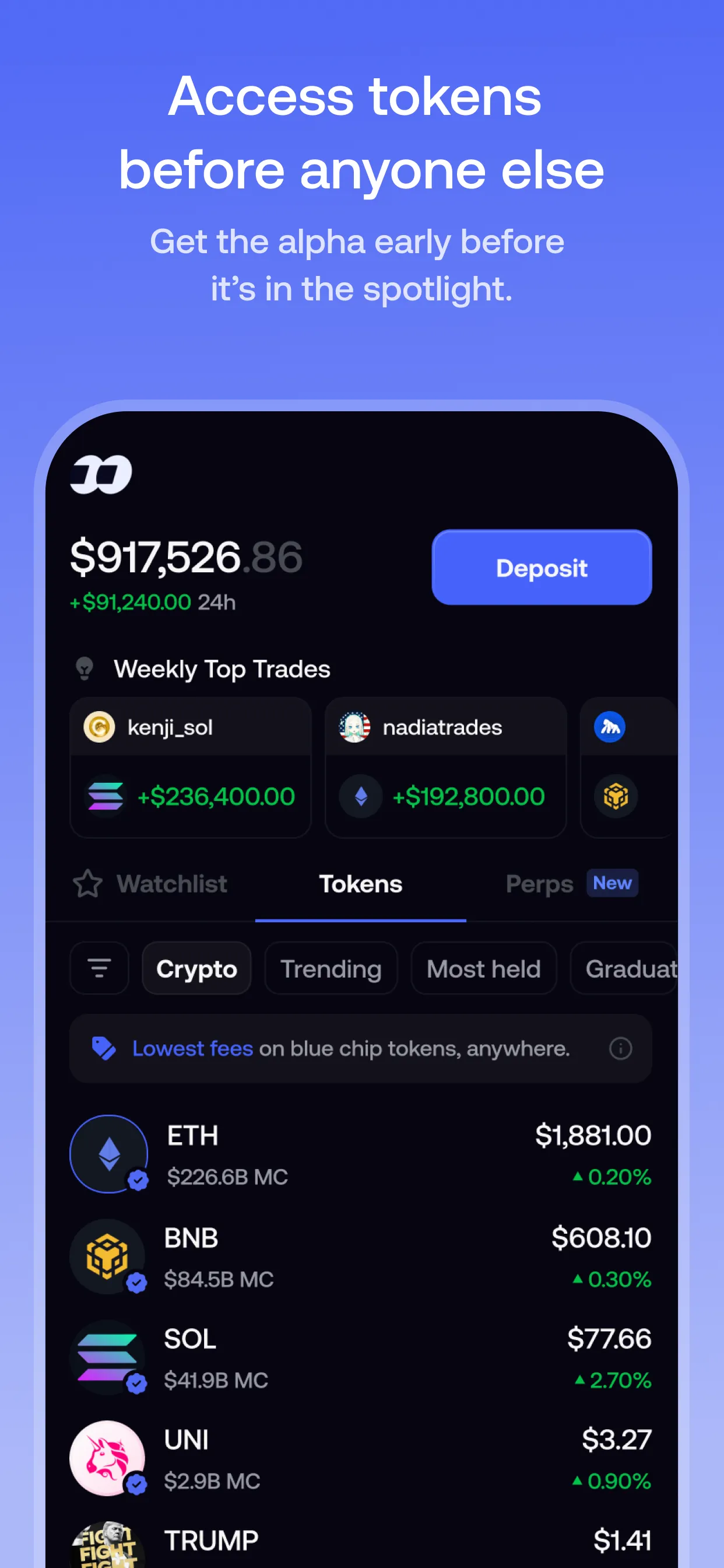
1. Look aroundTrending, most held, gainers and new tokens on eight chains, all from one balance. 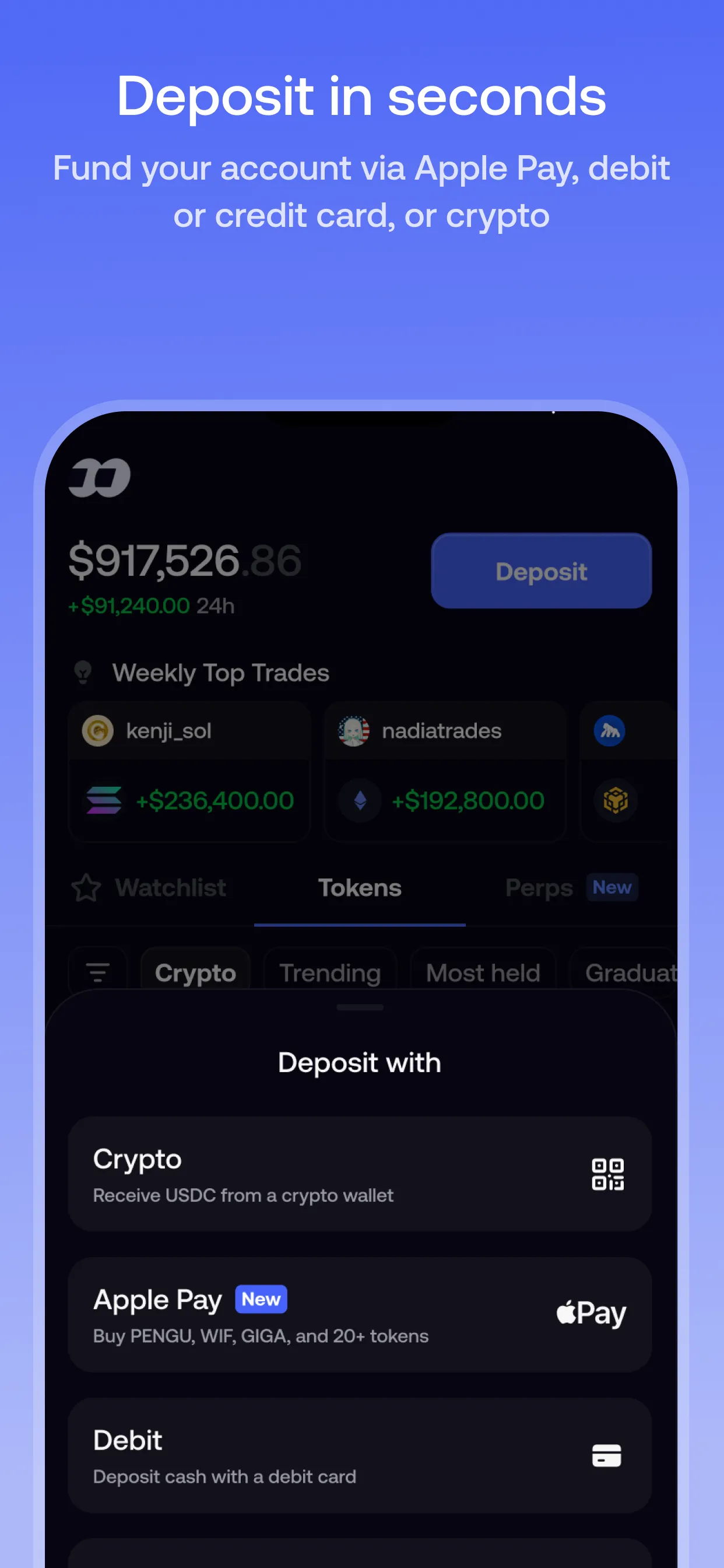
2. Add fundsApple Pay, a debit card, USDC or Pay with Coinbase, depending on your country. 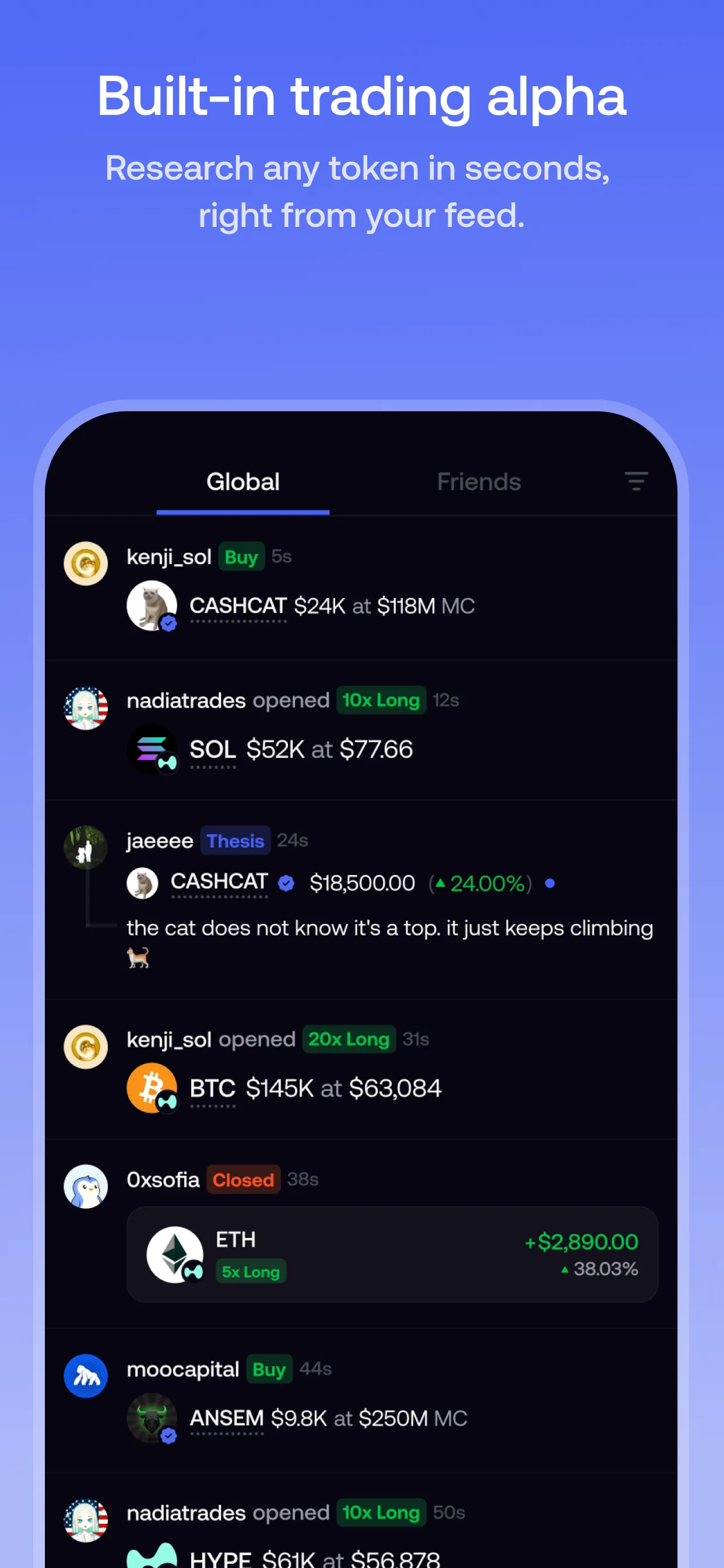
3. Watch the feedReal trades from other traders as they happen, often with a written thesis. 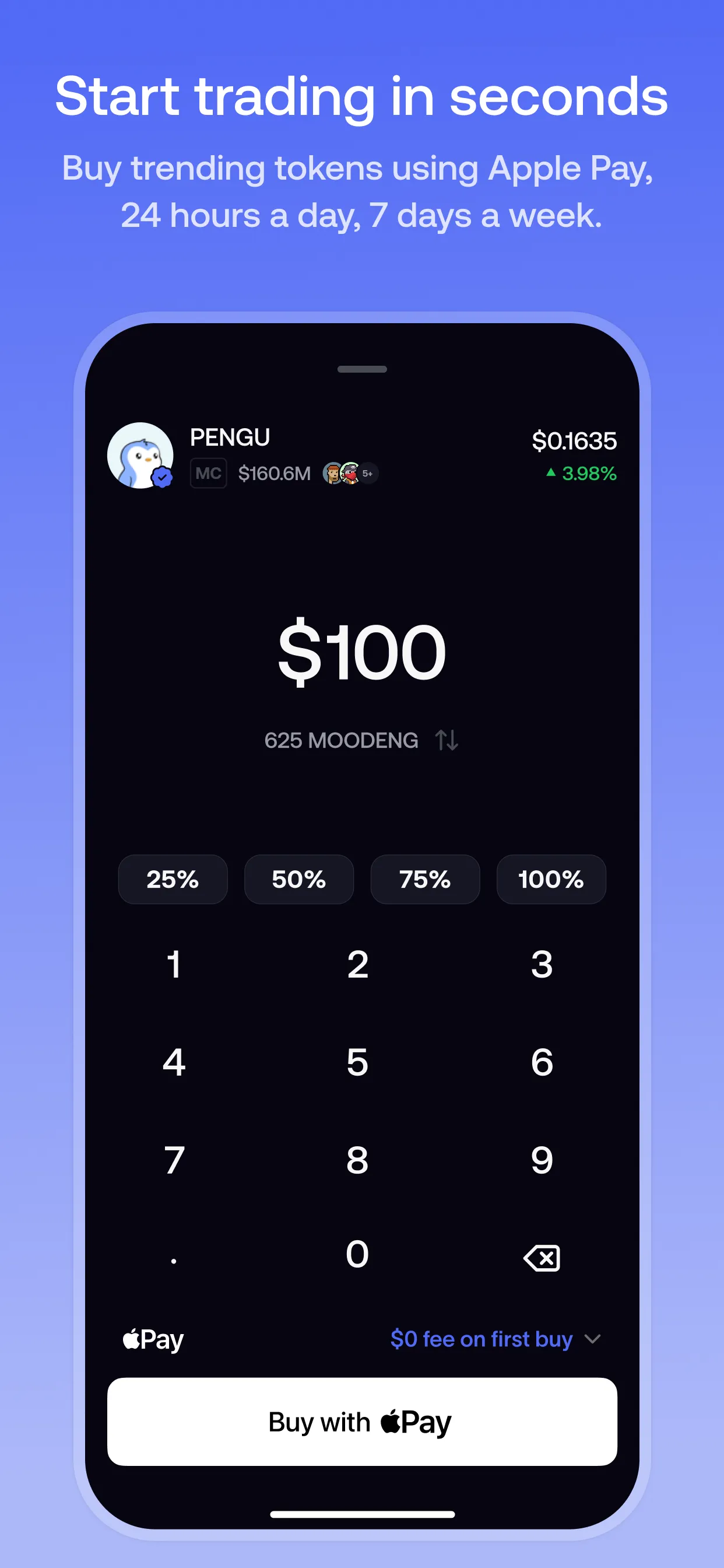
4. Make a tradeOne screen, one amount. With code theses the standard fee is 0.45%. 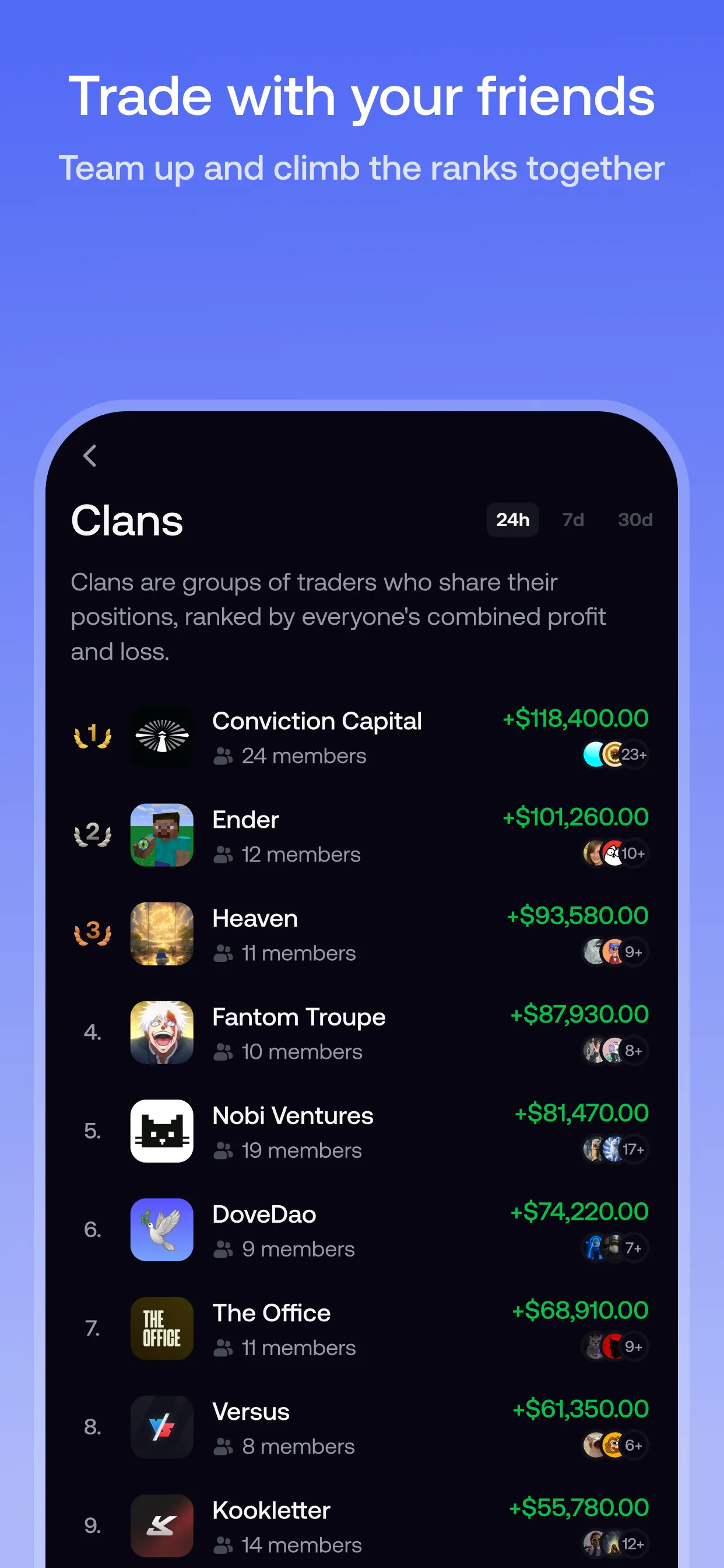
5. Join a clanTrade alongside a group and climb the clan leaderboard together. 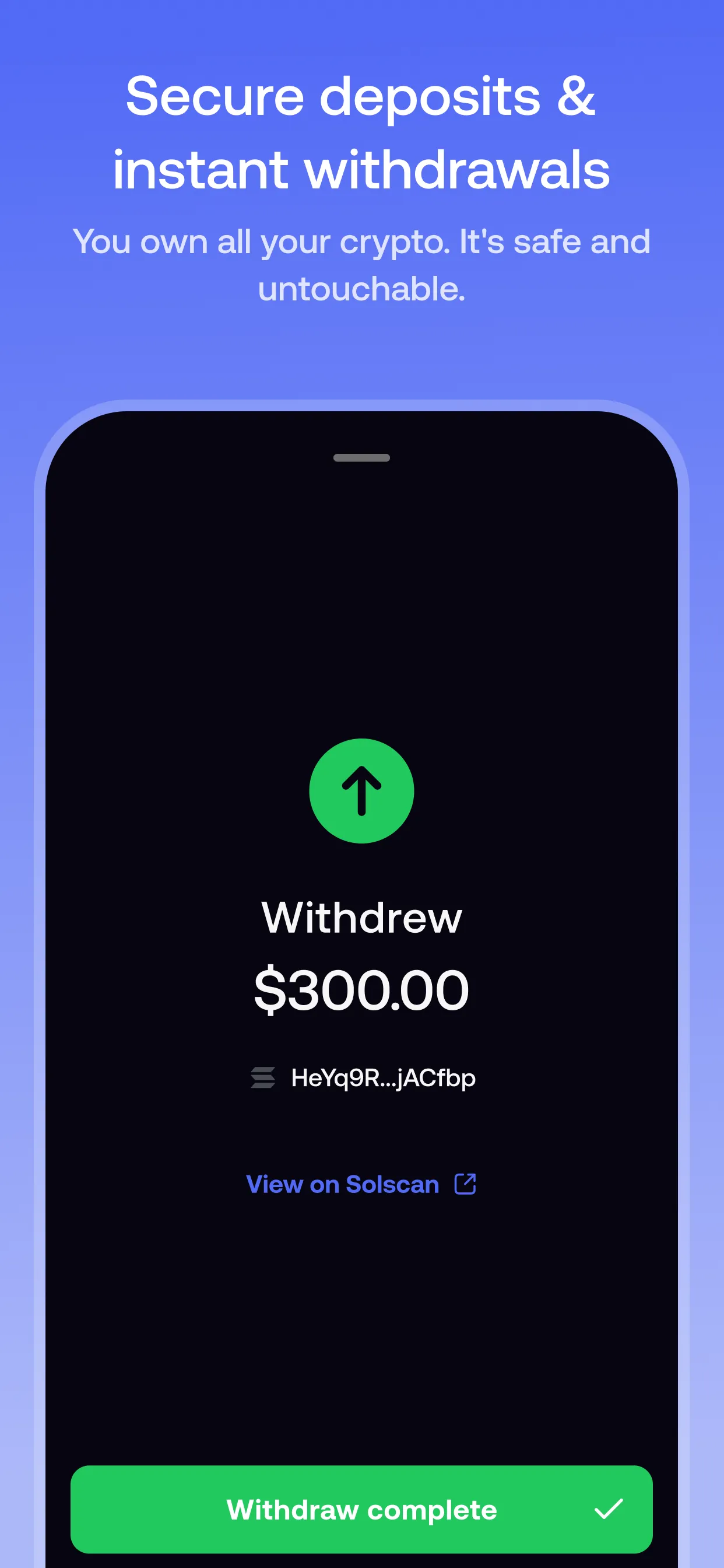
6. Cash outWithdraw to a bank, an exchange or another wallet, protected by Face ID if you turn it on.
Fomo on iPhone: fixing common problems
- The app won’t load. Swipe up to open the app switcher, swipe Fomo away and reopen it. If that fails, delete it and reinstall from the App Store. Fomo says reinstalling doesn’t affect your account, balances or positions, as long as you sign back in with the same login.
- My balance is empty after signing in. You probably used a different Apple ID or Google account. Sign out and sign back in with the one you first used.
- Apple Pay doesn’t appear. It isn’t available to every account or country. Use a debit card or USDC instead, if your Deposit screen offers them.
- I forgot to enter the code. If you haven’t traded yet, log in again: Fomo’s app asks for a code at login while no referrer is recorded and you haven’t made a trade. After your first trade a code can’t be added. If you signed up through a referral link and no referrer was recorded, support can attach that code: Portfolio tab, gear icon, Help and Support, Contact support.
Fomo iOS questions
Is Fomo free on iPhone?
Yes. "fomo - never miss out" is free on the App Store. You pay a trading fee when you trade: 0.50% standard, or 0.45% if you signed up with a referral code such as theses.
What iOS version do I need for Fomo?
iOS 16.4 or later on iPhone, and iPadOS 16.4 or later on iPad, according to the App Store listing. iOS 16 runs on the iPhone 8 and newer.
Does Fomo work on iPad?
Yes. The App Store listing includes iPad on iPadOS 16.4 or later. Sign in with the same Apple ID or Google account as on your phone to use the same account.
Is there a Fomo app for Mac?
The App Store listing marks Macs with an Apple M1 chip or later as compatible, on macOS 12.0 or later. Most people use Fomo's web app at fomo.family on a Mac instead, which needs no install.
Is there a Fomo IPA or TestFlight beta?
Fomo's website links only to the App Store listing for iPhone. Treat any app file or beta invite from somewhere else as unofficial, and install from the App Store.
Can I use Apple Pay on Fomo?
Yes, where it's available to your account. Apple Pay can buy a token directly, and a debit card in Apple Wallet can add cash to your balance from the Debit Card deposit screen.
Can I add my referral code after downloading?
Yes, until your first trade: the app asks for a code at login while no referrer is recorded and you haven't traded. After your first trade it can't be added, so copy theses before you create your account.
What changed on this page
- : Fomo now supports eight chains and accepts a code until your first trade; menu paths updated.
Sources (16)
- fomo - never miss out (App Store listing) · Apple App Store, updated 7 Nov 2026
- fomo.family · Fomo
- fomo (Google Play listing) · Google Play, updated 6 Nov 2026
- Creating your fomo account · Fomo Help Center, updated 9 Nov 2026
- Where is fomo available · Fomo Help Center, updated 3 Nov 2026
- The app is not loading · Fomo Help Center, updated 8 Oct 2026
- Buying a token with Apple Pay · Fomo Help Center, updated 3 Nov 2026
- How to deposit funds · Fomo Help Center, updated 3 Nov 2026
- Depositing with a debit card · Fomo Help Center, updated 3 Nov 2026
- Withdrawing to your bank account · Fomo Help Center, updated 3 Nov 2026
- How fomo keeps your crypto secure · Fomo Help Center, updated 3 Nov 2026
- What is a private key and how to protect it · Fomo Help Center, updated 9 Nov 2026
- Announcing fomo web · Fomo blog, updated 29 Apr 2026
- How referral codes and fee discounts work · Fomo Help Center, updated 10 Nov 2026
- Fomo invite page for code theses · Fomo
- Terms of Service · Fomo, updated 26 Oct 2026
Checked against these sources on 18 Oct 2026. Apps change their features, fees and policies; the live app is the final word.